


Zero-Shot Local Document Parsing with Gemma 4: Treating PDFs as Images
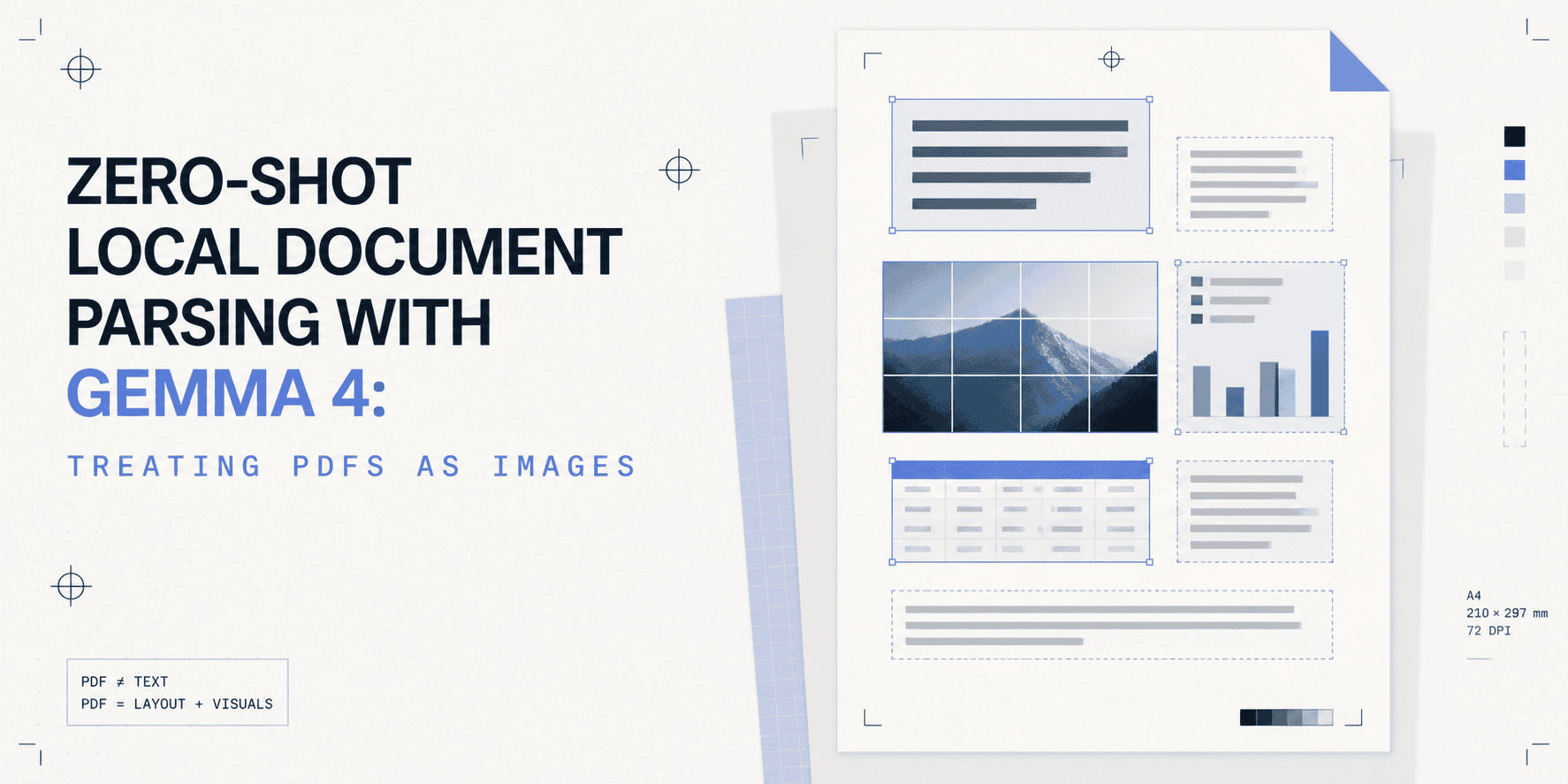
Treating PDFs as images and feeding those images to Gemma 4 dissolves the scanned-versus-digital distinction that makes every text-extraction pipeline fragile. Fix that.
# Introduction
Run pdfplumber on a scanned invoice, and you get nothing. Run it on a multi-column research paper, and you get a stream of text that has lost every spatial relationship the layout encoded. Run it on a filled PDF form, and you get the field labels concatenated with the values in reading order, with no way to tell which belongs to which.
Text-extraction tools have one assumption baked in: the PDF has a selectable text layer. The moment that assumption fails — scanned documents, image-only PDFs, complex form layouts, anything with merged table cells — the tools fail silently. You get empty output or garbled text, and the failure mode gives you no signal about what went wrong.
The image approach sidesteps this entirely. Render each PDF page to a high-resolution image. Feed that image to a vision-language model. Ask it what you need in plain language. No optical character recognition (OCR) pipeline, no layout parser, no template matching per document type. The model reads the page the way a human reads a printed page.
Gemma 4, released by Google DeepMind on April 2, 2026, with a full Apache 2.0 license, lists Document/PDF parsing as an explicit capability alongside OCR, chart comprehension, handwriting recognition, and screen understanding. It runs entirely locally. No API key, no cloud call, no data leaving your server.
The project thread through this article is a local document intake pipeline that processes supplier invoices, extracting vendor name, invoice number, line items, totals, and due date, and outputs structured JSON. It works on scanned and digital PDFs alike.
# Why Treat a PDF as an Image?
There are two distinct PDF worlds, and most document processing tools only work in one of them.
- Digital PDFs have an embedded text layer; the text is selectable, searchable, and extractable. Tools like
pdfplumber,PyPDF2, andpdfminerwork here. Feed them a clean, machine-generated PDF, and they return text in reading order. For simple single-column documents, that's often good enough. - Scanned PDFs are images saved inside a PDF container. There is no text layer. Every word exists as pixel data.
pdfplumberreturns an empty string. PyMuPDF's text extraction returns nothing. The only way to read the content is to read the image.
That's the first argument for the image approach: it unifies both worlds. Render the page, whether the content came from a scanner, a printer, or a PDF generator, and you always have an image. The model never needs to know which kind of PDF it's working with.
The second argument is layout. Even for digital PDFs with selectable text, extraction tools return text in document order, which destroys structure. A two-column invoice with line items on the left and totals on the right gets returned as alternating fragments: left column text, then right column text, interleaved in ways that break downstream parsing. Tables with merged cells are worse; the extracted text loses all row and column context.
A vision-language model reads the image as a visual artifact. It sees the table as a table, the columns as columns, the form as a form. It reads line items row by row because it can see the rows.
Gemma 4 supports variable visual token budgets of 70, 140, 280, 560, and 1120 tokens per image, which gives you a direct knob for the accuracy-versus-speed trade-off. For dense document parsing with fine-grained line items, use 1120. For quick page classification or single-field extraction, 280 works well and is significantly faster. You set this per-call, not globally.
# Gemma 4
Gemma 4 comes in four sizes. The choice between them is primarily a hardware question.
| Model | Effective Params | Context | VRAM (bf16) | Modalities | OmniDocBench ↓ |
|---|---|---|---|---|---|
| E2B-it | 2.3B | 128K | ~6 GB | Text, Image, Audio | 0.290 |
| E4B-it | 4.5B | 128K | ~10 GB | Text, Image, Audio | 0.181 |
| 26B-A4B-it | 3.8B active | 256K | ~14 GB | Text, Image | 0.149 |
| 31B-it | 30.7B | 256K | ~62 GB | Text, Image | 0.131 |
OmniDocBench 1.5 is the document parsing benchmark; lower edit distance is better. The 31B scores best, but for most invoice and form parsing tasks, E4B-it delivers production-viable results at a fraction of the hardware requirement. This article uses google/gemma-4-E4B-it throughout, but every code example works identically with any other size; just change the model ID.
Two architectural features make Gemma 4 particularly strong at document understanding.
- 2D Rotary Position Embedding (RoPE): Standard transformers encode position in one dimension: token sequence order. Gemma 4 independently rotates attention head dimensions for the x and y axes, giving the model genuine spatial understanding. It knows what "above," "below," "left of," and "right of" mean in the visual sense. On a two-column invoice, this means the model reads each column independently rather than mixing them. On a table, it reads rows as rows.
- Per-Layer Embeddings (PLE): Rather than relying on a single shared token embedding at the input, Gemma 4 feeds an auxiliary residual signal into each decoder layer. This architecture, used in the E2B and E4B models, allows smaller effective parameter counts to punch above their weight on structured visual tasks. The OmniDocBench gap between E2B (0.290) and E4B (0.181) reflects how much PLE contributes to higher parameter efficiency.
# Prerequisites
Hardware requirements:
| Feature | Minimum | Recommended |
|---|---|---|
| GPU VRAM (E4B-it) | 10 GB | 12 GB+ (RTX 3080 Ti / RTX 4080) |
| GPU VRAM (E2B-it) | 6 GB | 8 GB+ (RTX 3060 / RTX 4060 Ti) |
| System RAM | 16 GB | 32 GB |
| Apple Silicon | M2 Pro 16 GB | M3 Max 36 GB |
| Disk | 15 GB free | 30 GB+ SSD |
CPU-only inference works but is slow; expect 30–90 seconds per page depending on token budget and machine. Use Google Colab's free T4 GPU (15 GB VRAM) if you don't have a local GPU.
Hugging Face access required. The Gemma 4 models are gated. Create a free account at huggingface.co, visit google/gemma-4-E4B-it or google/gemma-4-E2B-it, and accept the model terms. Then generate a read token at huggingface.co/settings/tokens.
Install dependencies:
# Python 3.10+ required
python --version

# Create a virtual environment
python -m venv gemma4-env
source gemma4-env/bin/activate       # macOS / Linux
gemma4-env\Scripts\activate          # Windows

# Install packages
pip install \
  "transformers>=4.51.0" \
  "torch>=2.3.0" \
  "accelerate>=0.30.0" \
  "pymupdf>=1.24.0" \
  "Pillow>=10.0.0" \
  "bitsandbytes>=0.43.0"

# Log into Hugging Face (paste your read token when prompted)
pip install huggingface_hub
huggingface-cli login
Verify your setup:
# device_check.py
# Run this before loading Gemma 4 to confirm your compute environment.
# Save as device_check.py and run: python device_check.py

def detect_device():
    """
    Detect the best available compute device.
    Returns (device_str, dtype, load_kwargs) for use with from_pretrained.
    """
    try:
        import torch
    except ImportError:
        raise RuntimeError("PyTorch not found. Install: pip install torch")

    if torch.cuda.is_available():
        name = torch.cuda.get_device_name(0)
        vram = torch.cuda.get_device_properties(0).total_memory / 1e9
        print(f"CUDA GPU: {name} ({vram:.1f} GB VRAM)")
        return "cuda", torch.bfloat16, {"device_map": "auto", "torch_dtype": torch.bfloat16}

    elif hasattr(torch.backends, "mps") and torch.backends.mps.is_available():
        print("Apple Silicon MPS detected")
        return "mps", torch.float16, {"device_map": "mps", "torch_dtype": torch.float16}

    else:
        print("No GPU found -- CPU fallback (slow but functional)")
        return "cpu", None, {"device_map": "cpu"}


if __name__ == "__main__":
    device, dtype, kwargs = detect_device()
    print(f"Device  : {device}")
    print(f"Dtype   : {dtype}")
    print(f"Ready for Gemma 4 loading with: {kwargs}")
How to run:
python device_check.py
# Rendering PDF Pages as Images with PyMuPDF
PyMuPDF (imported as pymupdf or fitz) is the right tool for the PDF-to-image conversion step. It has no external dependencies, no Poppler, no Ghostscript, renders pages at arbitrary dots per inch (DPI), and produces PIL-compatible output that Gemma 4's processor accepts directly.
DPI matters more than it might seem. PyMuPDF's default renders at 72 DPI, screen resolution. At 72 DPI, small text in a dense invoice becomes sub-pixel artifacts. At 200 DPI, everything is legible. At 300 DPI, you get scanner-equivalent quality for handwritten content and multilingual documents with small glyphs. The cost is a proportionally larger image and more visual tokens consumed from Gemma 4's context window.
# pdf_renderer.py
# Prerequisites: pip install pymupdf Pillow
# Usage: import and instantiate PDFRenderer; call render_page() or render_all()

import pymupdf
from PIL import Image
from pathlib import Path


class PDFRenderer:
    """
    Converts PDF pages to PIL Images for downstream VLM inference.

    No external dependencies beyond PyMuPDF -- no Poppler, no Ghostscript.
    Output images are in RGB mode, ready for direct use with Gemma 4's AutoProcessor.
    """

    def __init__(self, dpi: int = 200):
        """
        Args:
            dpi: Render resolution.
                 150 -- fast classification pass (fewer tokens, lower quality)
                 200 -- production standard for typed text and printed documents
                 300 -- high-fidelity, recommended for handwriting or small glyphs
        """
        self.dpi = dpi
        # PyMuPDF uses a zoom factor relative to the 72 DPI PDF baseline.
        # zoom=1.0 = 72 DPI, zoom=2.78 = 200 DPI, zoom=4.17 = 300 DPI.
        self._zoom = dpi / 72.0
        self._matrix = pymupdf.Matrix(self._zoom, self._zoom)

    def render_page(self, pdf_path: str, page_index: int = 0) -> Image.Image:
        """
        Render a single PDF page to a PIL Image.

        Args:
            pdf_path:   Path to the PDF file
            page_index: Zero-based page index (0 = first page)

        Returns:
            PIL.Image.Image in RGB mode, ready for Gemma 4's processor

        Raises:
            IndexError: If page_index is out of range for this PDF
            FileNotFoundError: If the PDF path does not exist
        """
        path = Path(pdf_path)
        if not path.exists():
            raise FileNotFoundError(f"PDF not found: {pdf_path}")

        doc = pymupdf.open(str(path))

        if page_index >= len(doc):
            doc.close()
            raise IndexError(
                f"Page index {page_index} out of range -- "
                f"this PDF has {len(doc)} page(s)"
            )

        page = doc[page_index]

        # get_pixmap renders the page at the zoom matrix defined in __init__.
        # The resulting pixmap contains raw RGB bytes at self.dpi resolution.
        pix = page.get_pixmap(matrix=self._matrix)
        doc.close()

        # Convert raw bytes to PIL Image -- this is the format Gemma 4 expects
        return Image.frombytes("RGB", [pix.width, pix.height], pix.samples)

    def render_all(self, pdf_path: str) -> list[Image.Image]:
        """
        Render every page of a PDF to a list of PIL Images.

        Returns pages in order: index 0 = first page, index -1 = last page.
        The list is fully materialized -- for very large PDFs, use render_range
        to process in chunks.
        """
        doc = pymupdf.open(pdf_path)
        images = []

        for i in range(len(doc)):
            pix = doc[i].get_pixmap(matrix=self._matrix)
            images.append(Image.frombytes("RGB", [pix.width, pix.height], pix.samples))

        doc.close()
        return images

    def render_range(
        self, pdf_path: str, start: int, end: int
    ) -> list[Image.Image]:
        """
        Render a specific page range (start inclusive, end exclusive).

        Use this for the extraction pass in the two-pass pipeline -- only pages
        that the classification pass identified as content-bearing need to be
        rendered at high resolution.
        """
        doc = pymupdf.open(pdf_path)
        images = []
        end = min(end, len(doc))  # Clamp to actual page count

        for i in range(start, end):
            pix = doc[i].get_pixmap(matrix=self._matrix)
            images.append(Image.frombytes("RGB", [pix.width, pix.height], pix.samples))

        doc.close()
        return images

    def page_count(self, pdf_path: str) -> int:
        """Return the number of pages in a PDF without rendering any of them."""
        doc = pymupdf.open(pdf_path)
        count = len(doc)
        doc.close()
        return count
How to run a quick smoke test:
# Quick test -- add this after the class definition and run the file directly
if __name__ == "__main__":
    import sys
    if len(sys.argv) < 2:
        print("Usage: python pdf_renderer.py ")
        sys.exit(1)

    pdf_path = sys.argv[1]
    renderer = PDFRenderer(dpi=200)
    pages = renderer.render_all(pdf_path)
    print(f"Rendered {len(pages)} page(s)")
    for i, img in enumerate(pages):
        print(f"  Page {i}: {img.width} x {img.height} px")
    # Save page 0 as a PNG for visual inspection
    pages[0].save("page_0_preview.png")
    print("Saved page_0_preview.png -- verify it looks correct before running inference")
How to run:
python pdf_renderer.py your_invoice.pdf
# Loading Gemma 4 and Your First Document Inference
With the renderer confirmed, here is the full load-and-query pattern. Gemma 4 uses Gemma4ForConditionalGeneration as the model class and AutoProcessor for the combined tokenizer and image processor.
One important ordering rule from the official model card: place image content before text in your prompt. The processor handles this automatically when you follow the message format, but if you build prompts manually, image first.
# gemma4_loader.py
# Prerequisites: pip install transformers>=4.51.0 torch accelerate
# Run: python gemma4_loader.py
# First run downloads ~10 GB of weights -- subsequent runs load from cache
import re
import torch
from PIL import Image
from transformers import AutoProcessor, Gemma4ForConditionalGeneration
MODEL_ID = "google/gemma-4-E4B-it"
# Use "google/gemma-4-E2B-it" for 6 GB VRAM machines
def load_model(model_id: str = MODEL_ID):
"""
Load Gemma 4 and its processor.
device_map="auto" distributes across all available GPUs,
or falls back to CPU if none are found.
"""
print(f"Loading {model_id}...")
processor = AutoProcessor.from_pretrained(model_id)
model = Gemma4ForConditionalGeneration.from_pretrained(
model_id,
torch_dtype=torch.bfloat16, # Training dtype -- best quality/memory balance
device_map="auto", # Auto-distributes across GPUs or falls back to CPU
)
model.eval()
print(f"Model ready on: {model.device}")
return model, processor
def query_document_page(
model,
processor,
page_image: Image.Image,
prompt: str,
token_budget: int = 1120,
enable_thinking: bool = False,
max_new_tokens: int = 1024,
) -> str:
"""
Send a single document page image + text prompt to Gemma 4.
Args:
page_image: PIL Image of the PDF page (from PDFRenderer)
prompt: What you want extracted or answered about this page
token_budget: Visual token budget -- 70/140/280/560/1120.
Higher = more detail, more VRAM, slower inference.
Use 1120 for dense invoices, 280 for quick classification.
enable_thinking: If True, the model reasons step-by-step before answering.
Improves accuracy on complex layouts at the cost of latency.
max_new_tokens: Maximum tokens to generate in the response
Returns:
Model response as a plain string, with block stripped if present
"""
messages = [
{
"role": "user",
"content": [
# Image comes first -- this is required for optimal Gemma 4 performance
{"type": "image", "image": page_image},
{"type": "text", "text": prompt},
],
}
]
# apply_chat_template formats the messages and injects the visual token budget
inputs = processor.apply_chat_template(
messages,
add_generation_prompt=True,
tokenize=True,
return_dict=True,
return_tensors="pt",
# token_budget controls how many visual tokens represent the image
# Higher budget = more spatial detail preserved = better for dense docs
num_image_tokens=token_budget,
# Toggles the model's chain-of-thought reasoning pass before the final answer
enable_thinking=enable_thinking,
).to(model.device)
with torch.no_grad():
output_ids = model.generate(
**inputs,
max_new_tokens=max_new_tokens,
temperature=0.1, # Low temperature for structured extraction -- deterministic
top_p=0.95,
do_sample=True,
)
# Decode only the newly generated tokens, not the input prompt
new_tokens = output_ids[0][inputs["input_ids"].shape[-1]:]
raw = processor.decode(new_tokens, skip_special_tokens=True).strip()
# Strip the chain-of-thought block when thinking mode was enabled.
# The ... content is the model's reasoning process,
# not part of the structured output. Callers only need the final answer.
return re.sub(r".*? ", "", raw, flags=re.DOTALL).strip()
# ── Quick first test ──────────────────────────────────────────────────────────
if __name__ == "__main__":
from pdf_renderer import PDFRenderer
import sys
if len(sys.argv) < 2:
print("Usage: python gemma4_loader.py ")
sys.exit(1)
model, processor = load_model()
renderer = PDFRenderer(dpi=200)
# Render the first page
page_img = renderer.render_page(sys.argv[1], page_index=0)
print(f"Page rendered: {page_img.width}x{page_img.height} px")
# Plain description prompt -- good sanity check before structured extraction
description = query_document_page(
model, processor,
page_image=page_img,
prompt="Describe what you see in this document. What type of document is it and what information does it contain?",
token_budget=560,
enable_thinking=False,
)
print("\n── Document description ──")
print(description)
How to run:
python gemma4_loader.py your_invoice.pdf
The description output is your sanity check. If Gemma 4 correctly identifies the document type and mentions the key fields you expect to extract, you're ready for the full pipeline. If it misses important fields, increase the token budget to 1120 and try again, the improvement is usually visible.
# Building a Real-World Invoice Extraction Pipeline
This is the full production-grade pipeline. The InvoiceParser class accepts any PDF, renders each page, runs structured extraction with Gemma 4, parses the JSON output into a typed ParsedInvoice dataclass, and flags any fields where extraction was uncertain.
# invoice_parser.py
# Prerequisites: pdf_renderer.py and gemma4_loader.py in the same directory
# Run: python invoice_parser.py

import re
import json
import torch
from dataclasses import dataclass, field
from pathlib import Path
from typing import Optional
from PIL import Image
from transformers import AutoProcessor, Gemma4ForConditionalGeneration

from pdf_renderer import PDFRenderer
from gemma4_loader import load_model, query_document_page

MODEL_ID = "google/gemma-4-E4B-it"

# ── Data model ────────────────────────────────────────────────────────────────

@dataclass
class LineItem:
    description: str
    quantity: Optional[float]
    unit_price: Optional[str]
    total: Optional[str]

@dataclass
class ParsedInvoice:
    vendor_name: Optional[str]
    invoice_number: Optional[str]
    invoice_date: Optional[str]
    due_date: Optional[str]
    line_items: list[LineItem] = field(default_factory=list)
    subtotal: Optional[str] = None
    tax: Optional[str] = None
    total_due: Optional[str] = None
    currency: Optional[str] = None
    # Fields where the model returned None, empty, or "unknown"
    # -- route these for human review
    low_confidence_fields: list[str] = field(default_factory=list)
    raw_output: str = ""

# ── Extraction prompt ─────────────────────────────────────────────────────────

EXTRACTION_PROMPT = """This is a page from a supplier invoice. Extract all available information and return it as a single JSON object.

Required JSON format:
{
  "vendor_name": "string or null",
  "invoice_number": "string or null",
  "invoice_date": "string or null",
  "due_date": "string or null",
  "line_items": [
    {
      "description": "string",
      "quantity": number or null,
      "unit_price": "string or null",
      "total": "string or null"
    }
  ],
  "subtotal": "string or null",
  "tax": "string or null",
  "total_due": "string or null",
  "currency": "string or null"
}

Rules:
- Return ONLY the JSON object -- no preamble, no explanation, no markdown fences.
- If a field is not visible on this page, set it to null.
- Do not invent values. If you cannot read a number clearly, set it to null.
- Preserve the original currency symbol (e.g. $, €, £, ₦) in monetary fields.
- Include ALL line items you can see, even if the table runs off the visible area."""

# ── Output parser ─────────────────────────────────────────────────────────────

def extract_json_block(text: str) -> Optional[dict]:
    """
    Find the first JSON object in the model's output.
    Handles both bare JSON and markdown-fenced ```json ... ``` blocks,
    since some model outputs include fences despite being told not to.
    """
    # Try markdown fence first
    fence = re.search(r"```(?:json)?\s*(\{.*?\})\s*```", text, re.DOTALL)
    if fence:
        try:
            return json.loads(fence.group(1))
        except json.JSONDecodeError:
            pass
    # Fall back to any bare JSON object in the output
    bare = re.search(r"(\{.*\})", text, re.DOTALL)
    if bare:
        try:
            return json.loads(bare.group(1))
        except json.JSONDecodeError:
            pass
    return None

def build_parsed_invoice(raw_output: str) -> ParsedInvoice:
    """
    Convert raw model output to a typed ParsedInvoice.
    Never raises -- fields that cannot be parsed default to None
    and are added to low_confidence_fields for downstream handling.
    """
    data = extract_json_block(raw_output)

    if data is None:
        return ParsedInvoice(
            vendor_name=None, invoice_number=None,
            invoice_date=None, due_date=None,
            low_confidence_fields=["all_fields -- JSON parse failed"],
            raw_output=raw_output,
        )

    low_conf = []

    def safe_str(key: str) -> Optional[str]:
        """Extract a string field; add to low_confidence if missing or placeholder."""
        val = data.get(key)
        if val is None or str(val).strip().lower() in ("", "null", "unknown", "n/a"):
            low_conf.append(key)
            return None
        return str(val).strip()

    # Parse line items from the JSON array
    items = []
    for item in data.get("line_items", []):
        if not isinstance(item, dict):
            continue
        qty = item.get("quantity")
        items.append(LineItem(
            description=str(item.get("description", "")).strip(),
            quantity=float(qty) if qty is not None else None,
            unit_price=item.get("unit_price"),
            total=item.get("total"),
        ))

    return ParsedInvoice(
        vendor_name=safe_str("vendor_name"),
        invoice_number=safe_str("invoice_number"),
        invoice_date=safe_str("invoice_date"),
        due_date=safe_str("due_date"),
        line_items=items,
        subtotal=safe_str("subtotal"),
        tax=safe_str("tax"),
        total_due=safe_str("total_due"),
        currency=safe_str("currency"),
        low_confidence_fields=low_conf,
        raw_output=raw_output,
    )

# ── Invoice Parser ────────────────────────────────────────────────────────────

class InvoiceParser:
    """
    End-to-end local invoice extraction using Gemma 4.
    Processes each PDF page as an image -- works on scanned and digital PDFs alike.
    """

    def __init__(self, model_id: str = MODEL_ID, dpi: int = 200):
        self.model, self.processor = load_model(model_id)
        self.renderer = PDFRenderer(dpi=dpi)

    def parse(self, pdf_path: str, token_budget: int = 1120) -> ParsedInvoice:
        """
        Parse a single invoice PDF.
        For multi-page invoices, extracts from all pages and merges results,
        with later pages filling in fields not found on earlier pages.

        Args:
            pdf_path:     Path to the invoice PDF
            token_budget: Visual token budget per page (560 or 1120 recommended)

        Returns:
            ParsedInvoice with all extracted fields and low_confidence_fields list
        """
        path = Path(pdf_path)
        if not path.exists():
            raise FileNotFoundError(f"File not found: {pdf_path}")

        pages = self.renderer.render_all(pdf_path)
        print(f"Processing {len(pages)} page(s) from {path.name}...")

        merged: Optional[ParsedInvoice] = None

        for i, page_img in enumerate(pages):
            print(f"  Extracting page {i + 1}/{len(pages)}...")
            raw = query_document_page(
                self.model, self.processor,
                page_image=page_img,
                prompt=EXTRACTION_PROMPT,
                token_budget=token_budget,
                enable_thinking=False,   # Use thinking=True for complex multi-column layouts
            )
            page_result = build_parsed_invoice(raw)

            if merged is None:
                merged = page_result
            else:
                # Merge: later pages fill in fields that were null on earlier pages.
                # Line items are always accumulated across pages (handles multi-page tables).
                merged = self._merge(merged, page_result)

        return merged or ParsedInvoice(
            vendor_name=None, invoice_number=None,
            invoice_date=None, due_date=None,
            low_confidence_fields=["no_pages_processed"],
        )

    def _merge(self, base: ParsedInvoice, update: ParsedInvoice) -> ParsedInvoice:
        """
        Merge two ParsedInvoice results.
        Scalar fields: keep base value unless it's None (update fills in).
        line_items: accumulate from both pages.
        low_confidence_fields: intersection of both -- a field is only "confident"
        if it was found on at least one page.
        """
        def pick(a, b):
            return a if a is not None else b

        all_low_conf = list(set(base.low_confidence_fields) & set(update.low_confidence_fields))

        return ParsedInvoice(
            vendor_name=pick(base.vendor_name, update.vendor_name),
            invoice_number=pick(base.invoice_number, update.invoice_number),
            invoice_date=pick(base.invoice_date, update.invoice_date),
            due_date=pick(base.due_date, update.due_date),
            line_items=base.line_items + update.line_items,
            subtotal=pick(base.subtotal, update.subtotal),
            tax=pick(base.tax, update.tax),
            total_due=pick(base.total_due, update.total_due),
            currency=pick(base.currency, update.currency),
            low_confidence_fields=all_low_conf,
            raw_output=base.raw_output + "\n---page---\n" + update.raw_output,
        )

    def parse_directory(self, dir_path: str, token_budget: int = 1120) -> dict[str, ParsedInvoice]:
        """
        Batch-process all PDFs in a directory.
        Returns a dict mapping filename -> ParsedInvoice.
        Failed files are logged and skipped rather than raising.
        """
        results = {}
        pdfs = list(Path(dir_path).glob("*.pdf"))
        print(f"Found {len(pdfs)} PDF(s) in {dir_path}")

        for pdf_path in pdfs:
            try:
                results[pdf_path.name] = self.parse(str(pdf_path), token_budget)
                status = "OK" if not results[pdf_path.name].low_confidence_fields else \
                         f"LOW CONF: {results[pdf_path.name].low_confidence_fields}"
                print(f"  {pdf_path.name}: {status}")
            except Exception as e:
                print(f"  {pdf_path.name}: FAILED -- {e}")

        return results


# ── Run it ────────────────────────────────────────────────────────────────────

if __name__ == "__main__":
    import sys

    if len(sys.argv) < 2:
        print("Usage: python invoice_parser.py ")
        sys.exit(1)

    parser = InvoiceParser()
    result = parser.parse(sys.argv[1])

    print("\n── Extracted Invoice ──")
    print(f"Vendor        : {result.vendor_name}")
    print(f"Invoice #     : {result.invoice_number}")
    print(f"Invoice Date  : {result.invoice_date}")
    print(f"Due Date      : {result.due_date}")
    print(f"Currency      : {result.currency}")
    print(f"Total Due     : {result.total_due}")
    print(f"Line Items    : {len(result.line_items)}")
    for item in result.line_items:
        print(f"  - {item.description}: qty={item.quantity}, unit={item.unit_price}, total={item.total}")
    if result.low_confidence_fields:
        print(f"\n⚠ Low-confidence fields (review manually): {result.low_confidence_fields}")
How to run:
python invoice_parser.py supplier_invoice.pdf
How to run the batch directory processor:
parser = InvoiceParser()
results = parser.parse_directory("./invoices/")
# results is a dict: {"invoice_001.pdf": ParsedInvoice, "invoice_002.pdf": ParsedInvoice, ...}
The low_confidence_fields list is your routing signal. Any invoice where it's non-empty gets flagged for human review. Any invoice where it's empty can be committed to your accounting system automatically.
# Optimizing Token Budgets for Multi-Page Documents
A five-page supplier invoice typically breaks down as: cover page, two pages of line items, a totals and payment page, and a terms and conditions page. The cover and T&C pages have no extractable structured data. Running the full 1120-token extraction pass on all five pages wastes roughly 40% of your inference budget.
The two-pass pattern fixes this: a quick 280-token classification pass first to identify which pages are worth processing, then the full 1120-token extraction pass only on those pages.
# two_pass_pipeline.py
# Prerequisites: pdf_renderer.py, gemma4_loader.py, and invoice_parser.py in the same directory

from pdf_renderer import PDFRenderer
from gemma4_loader import load_model, query_document_page
from invoice_parser import EXTRACTION_PROMPT

CLASSIFICATION_PROMPT = """Look at this document page and classify it with a single label.

Choose exactly one:
- invoice_header    (company logos, vendor address, invoice number, date)
- line_items        (table of products/services with quantities and prices)
- totals            (subtotals, taxes, grand total, payment instructions)
- terms             (terms and conditions, legal text, return policy)
- cover             (title page, table of contents, document cover)
- blank             (empty or nearly empty page)
- other             (anything else)

Respond with ONLY the label -- no explanation, no punctuation."""

EXTRACTABLE_CLASSES = {"invoice_header", "line_items", "totals"}


def two_pass_parse(pdf_path: str, model, processor) -> dict:
    """
    Two-pass invoice extraction pipeline.

    Pass 1 (token_budget=280): Classify each page cheaply.
    Pass 2 (token_budget=1120): Full extraction only on content pages.

    Returns a dict with extracted fields and page-level classification metadata.
    """
    renderer_fast = PDFRenderer(dpi=150)   # Lower DPI for classification -- faster
    renderer_full = PDFRenderer(dpi=200)   # Full DPI for extraction

    # ── Pass 1: Classify all pages at 280-token budget ─────────────────────
    print("Pass 1: Page classification...")
    fast_pages = renderer_fast.render_all(pdf_path)
    page_labels = {}

    for i, page_img in enumerate(fast_pages):
        label = query_document_page(
            model, processor,
            page_image=page_img,
            prompt=CLASSIFICATION_PROMPT,
            token_budget=280,         # Cheap pass -- just needs to read the page type
            enable_thinking=False,
            max_new_tokens=16,        # Classification response is always short
        ).strip().lower()
        page_labels[i] = label
        status = "EXTRACT" if label in EXTRACTABLE_CLASSES else "skip"
        print(f"  Page {i}: '{label}' -> {status}")

    extraction_pages = [i for i, l in page_labels.items() if l in EXTRACTABLE_CLASSES]

    if not extraction_pages:
        print("No extractable pages found -- falling back to full-document extraction")
        extraction_pages = list(range(len(fast_pages)))

    skipped = len(fast_pages) - len(extraction_pages)
    print(f"\nPass 1 complete: {len(extraction_pages)} pages to extract, "
          f"{skipped} skipped ({skipped/len(fast_pages)*100:.0f}% token saving)")

    # ── Pass 2: Full extraction at 1120-token budget ────────────────────────
    print("\nPass 2: Full extraction...")
    full_pages = renderer_full.render_all(pdf_path)
    extracted_outputs = []

    for i in extraction_pages:
        print(f"  Extracting page {i} ({page_labels[i]})...")
        raw = query_document_page(
            model, processor,
            page_image=full_pages[i],
            prompt=EXTRACTION_PROMPT,
            token_budget=1120,
            enable_thinking=False,
            max_new_tokens=1024,
        )
        extracted_outputs.append({"page": i, "label": page_labels[i], "output": raw})

    return {
        "page_labels": page_labels,
        "extraction_pages": extraction_pages,
        "outputs": extracted_outputs,
    }
How to run:
model, processor = load_model()
result = two_pass_parse("supplier_invoice_5pages.pdf", model, processor)
On a typical 5-page invoice, the two-pass approach reduces expensive inference calls from 5 to 3, cutting total processing time by 35–40% with no loss in extraction quality.
# Enabling Thinking Mode for Complex Layouts
Most invoices are straightforward enough that enable_thinking=False is the right choice; it's faster, and the output is directly structured JSON. But some documents genuinely need the reasoning pass: two-column layouts where the spatial relationships are ambiguous, handwritten forms, scanned documents with rotation or skew, tables with merged or spanned cells.
When you turn thinking on by setting enable_thinking=True in query_document_page, Gemma 4 generates a chain-of-thought reasoning trace inside
# Enable thinking mode for complex documents
result = query_document_page(
    model, processor,
    page_image=page_img,
    prompt=EXTRACTION_PROMPT,
    token_budget=1120,
    enable_thinking=True,     # Adds reasoning trace before structured output
    max_new_tokens=2048,      # Thinking outputs are longer -- increase the budget
)
# The ... block is already stripped by query_document_page
# result contains only the final JSON answer
The latency cost is real; thinking mode typically generates 2 to 4 times as many tokens before arriving at the answer. The pattern that works well in practice: run enable_thinking=False first. If low_confidence_fields in the result is non-empty for critical fields (vendor name, total due, invoice number), retry that page with enable_thinking=True. This keeps the fast path fast and only pays the thinking cost when the first pass signals uncertainty.
# Validating and Post-Processing Structured Output
The extraction and parsing code in invoice_parser.py already handles the most common failure modes: JSON parse errors, missing fields, placeholder values. The low_confidence_fields list is the signal that a human should look at a specific invoice.
For production use, add a Pydantic validation layer on top of ParsedInvoice to enforce business rules that the model cannot know:
# validation.py
# pip install pydantic>=2.0

from pydantic import BaseModel, field_validator
from typing import Optional
import re

class InvoiceValidator(BaseModel):
    """
    Business-rule validation on top of raw ParsedInvoice output.
    Use this before committing to an accounting system.
    """
    vendor_name: Optional[str]
    invoice_number: Optional[str]
    invoice_date: Optional[str]
    due_date: Optional[str]
    total_due: Optional[str]
    currency: Optional[str]

    @field_validator("invoice_number")
    @classmethod
    def invoice_number_format(cls, v):
        """Flag invoice numbers that look like they were hallucinated."""
        if v and not re.match(r"^[A-Z0-9\-\/\.]+$", v.strip()):
            raise ValueError(f"Unexpected invoice number format: {v!r}")
        return v

    @field_validator("total_due")
    @classmethod
    def total_due_has_value(cls, v):
        """Invoices without a total_due should never auto-commit."""
        if not v:
            raise ValueError("total_due is required for automated processing")
        return v

    @field_validator("currency")
    @classmethod
    def currency_is_known(cls, v):
        KNOWN = {"USD", "EUR", "GBP", "NGN", "CAD", "AUD", "JPY", "CNY"}
        if v and v.upper() not in KNOWN:
            raise ValueError(f"Unrecognized currency: {v!r}")
        return v.upper() if v else v


def validate_for_commit(invoice) -> tuple[bool, list[str]]:
    """
    Validate a ParsedInvoice before committing to accounting system.
    Returns (can_commit, list_of_errors).
    """
    errors = []
    try:
        InvoiceValidator(
            vendor_name=invoice.vendor_name,
            invoice_number=invoice.invoice_number,
            invoice_date=invoice.invoice_date,
            due_date=invoice.due_date,
            total_due=invoice.total_due,
            currency=invoice.currency,
        )
    except Exception as e:
        errors = [str(err) for err in e.errors()] if hasattr(e, "errors") else [str(e)]

    # Also block commit if any critical fields are low-confidence
    critical = {"vendor_name", "invoice_number", "total_due"}
    low_critical = critical & set(invoice.low_confidence_fields)
    if low_critical:
        errors.append(f"Low-confidence on critical fields: {low_critical}")

    return len(errors) == 0, errors
The three-tier outcome:
can_commit=True, errors=[]: all critical fields extracted cleanly, business rules pass, route to accounting system automatically.can_commit=False, low_confidence_fields non-empty: the model flagged uncertainty. Route to human review queue with the raw PDF and extracted fields side by side.can_commit=False, validation error: the extracted data violates a business rule. Route to exception handling.
# Conclusion
Text extraction tools require selectable text. Vision-language models require a legible image. The first assumption fails on roughly a third of real-world documents — scanned invoices, photographed receipts, printed forms. The second assumption holds across everything.
Treating PDFs as images and feeding those images to Gemma 4 dissolves the scanned-versus-digital distinction that makes every text-extraction pipeline fragile. The pipeline in this article works on a laser-printed invoice and a low-resolution fax scan with zero configuration changes between them.
Gemma 4's spatial position embeddings and variable token budget give you direct control over the accuracy-versus-speed trade-off. Start with 560 tokens and enable_thinking=False. Add the two-pass classification for multi-page documents. Escalate to thinking mode and 1120 tokens for the specific pages where low_confidence_fields signals uncertainty.
The pipeline runs fully locally under Apache 2.0. No API key, no usage meter, no data leaving your server, which matters for anything touching financial documents.
Shittu Olumide is a software engineer and technical writer passionate about leveraging cutting-edge technologies to craft compelling narratives, with a keen eye for detail and a knack for simplifying complex concepts. You can also find Shittu on Twitter.