


7 Real World AI Projects to Build in 2026 (with Guides)
Explore seven practical AI projects that automate real workflows, including job search, web research, investment research, market trend analysis, invoice processing, chart digitization, and personalized exercise training.
# Introduction
AI projects are most useful when they solve real workflow problems, not just when they demonstrate a new model or tool.
The projects in this article focus on practical automation, including job searching, research, invoice processing, market analysis, chart digitization, and personalized assistants. Instead of manually searching, reading, comparing, copying, and summarizing information, these projects show how AI can handle much of the repetitive work for you. Each project comes with a complete guide, code, and step-by-step explanation, so you can learn how to build it from scratch and adapt it to your own workflow.
# 1. Build an AI Job Search Assistant
Searching for jobs is repetitive. You open job boards, read descriptions, compare them with your CV, and try to figure out which roles are worth applying to.
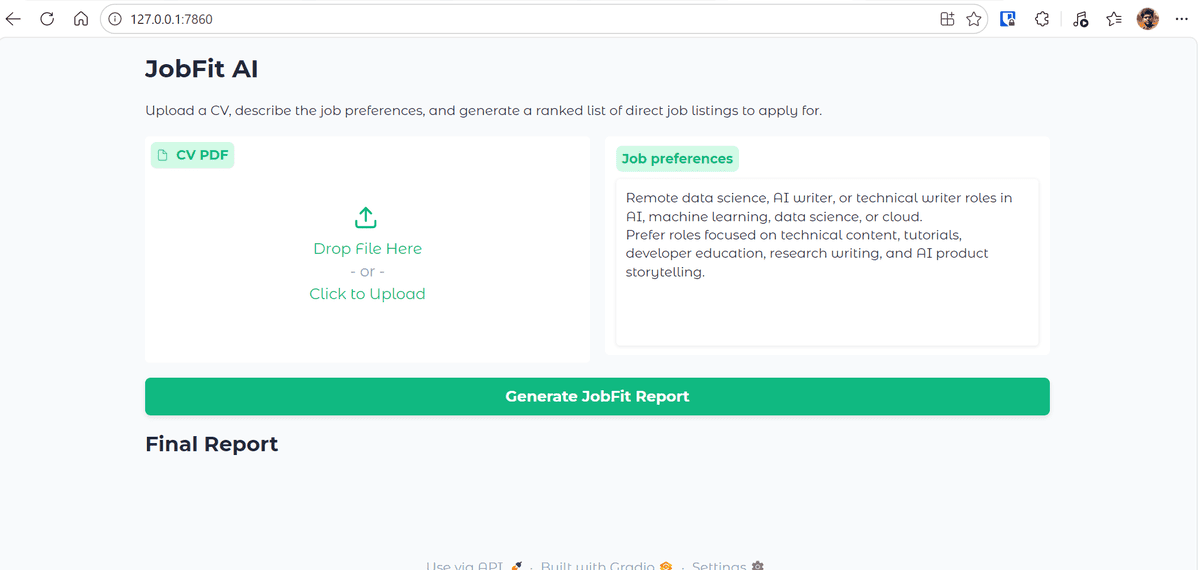
This project automates that workflow. You build JobFit AI, an assistant that reads a candidate's CV, searches for live job postings, checks selected job pages, and generates a ranked job-fit report. The tutorial uses Kimi K2.6, Olostep, OpenAI Agents SDK, and Gradio.
What you will learn:
- How to build a job search agent
- How to combine live web search with CV analysis
- How to rank jobs based on candidate fit
- How to build a simple Gradio interface
Guide: Kimi K2.6 API Tutorial: Building an AI Job Search Assistant.
GitHub Repo: kingabzpro/JobFit-AI
# 2. Build a Multi-Agent Research Assistant
Most research workflows involve several steps: searching the web, filtering sources, extracting key information, and writing a report. A single prompt can help, but a multi-agent system gives you more control.
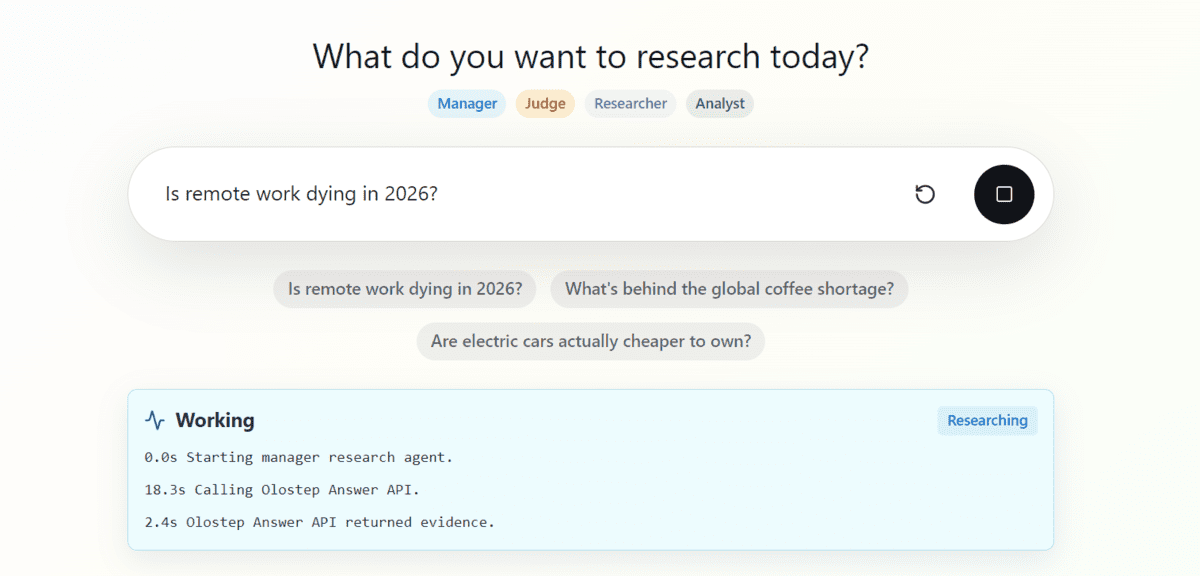
This project shows how to build a multi-agent research assistant using the OpenAI Agents SDK and Olostep. The assistant produces sourced Markdown research reports and is available as an open-source GitHub project.
What you will learn:
- How to structure a multi-agent workflow
- How to use agents for web research
- How to generate sourced reports
- How to organize an AI research assistant project
Guide: How to Build a Multi-Agent Research Assistant in Python.
GitHub: Multi-Agent-Research-Assistant
# 3. Automate Investment Research with Olostep and n8n
Investment research often means checking company news, financial updates, market commentary, and public sources. This project turns that process into an automated workflow.
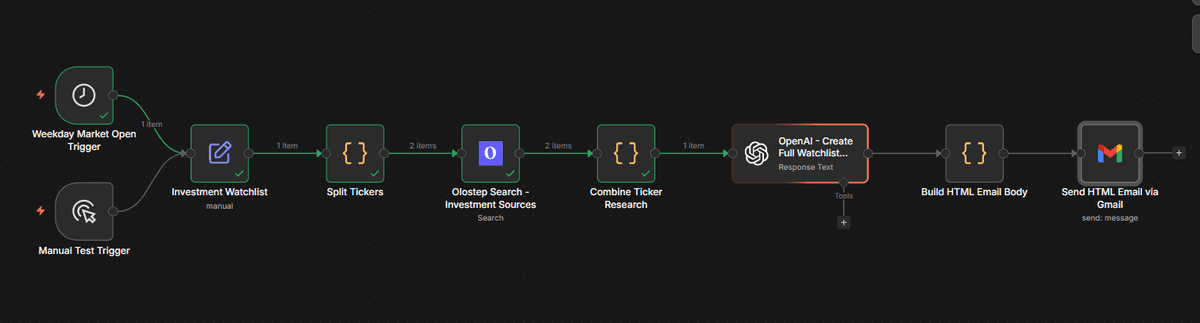
The guide shows how to use Olostep and n8n to collect public sources, analyze stock tickers, and send AI-generated reports. It is useful for learning how AI can support research automation, but it should be treated as an educational project rather than financial advice.
What you will learn:
- How to build an n8n automation workflow
- How to collect public financial information
- How to summarize investment-related sources
- How to send automated research reports
Guide: How to Automate Investment Research Using Olostep and n8n.
GitHub: kingabzpro/olostep-n8n-investment-agent
# 4. Build an Agentic Market Research and Trend Analysis App
Market research is another task that benefits from automation. Instead of manually collecting competitor updates, industry signals, and trend reports, you can build an agentic workflow that does the heavy lifting.
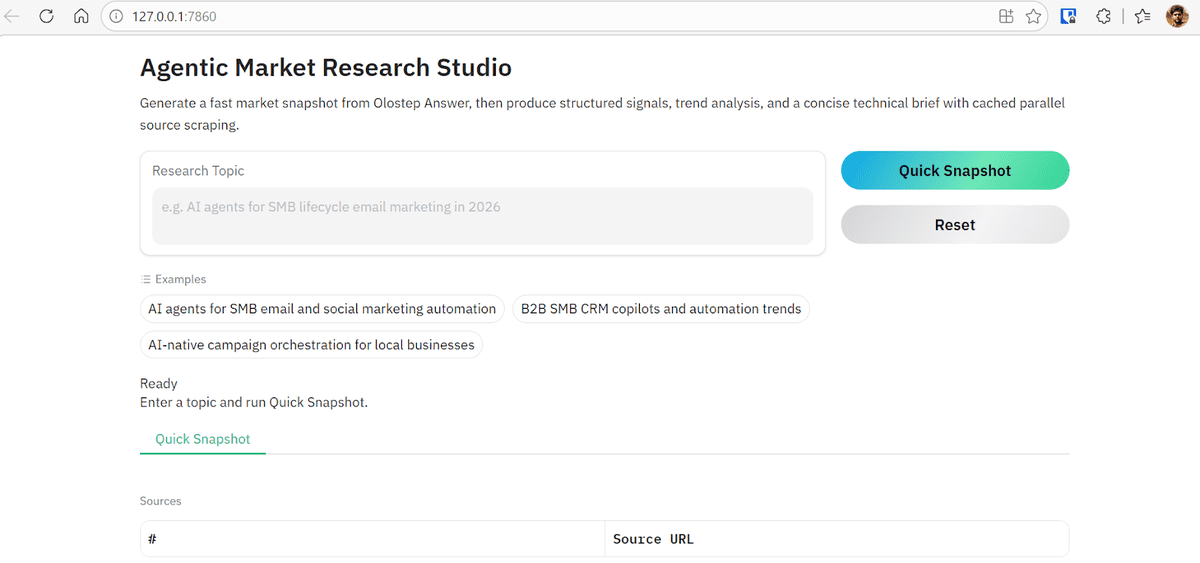
This project uses the OpenAI Agents SDK and Olostep to build an end-to-end market research system. The workflow includes specialist agents for research, extraction, trend analysis, and brief writing.
What you will learn:
- How to design an agentic research pipeline
- How to split tasks across specialist agents
- How to extract useful information from web sources
- How to generate structured market briefs
Guide: Agentic Market Research & Trend Analysis with Olostep.
GitHub: kingabzpro/agentic-market-research-olostep
# 5. Build an AI Invoice Processing Pipeline
Invoice processing is a strong real-world AI use case because it combines document understanding, structured extraction, and business automation.
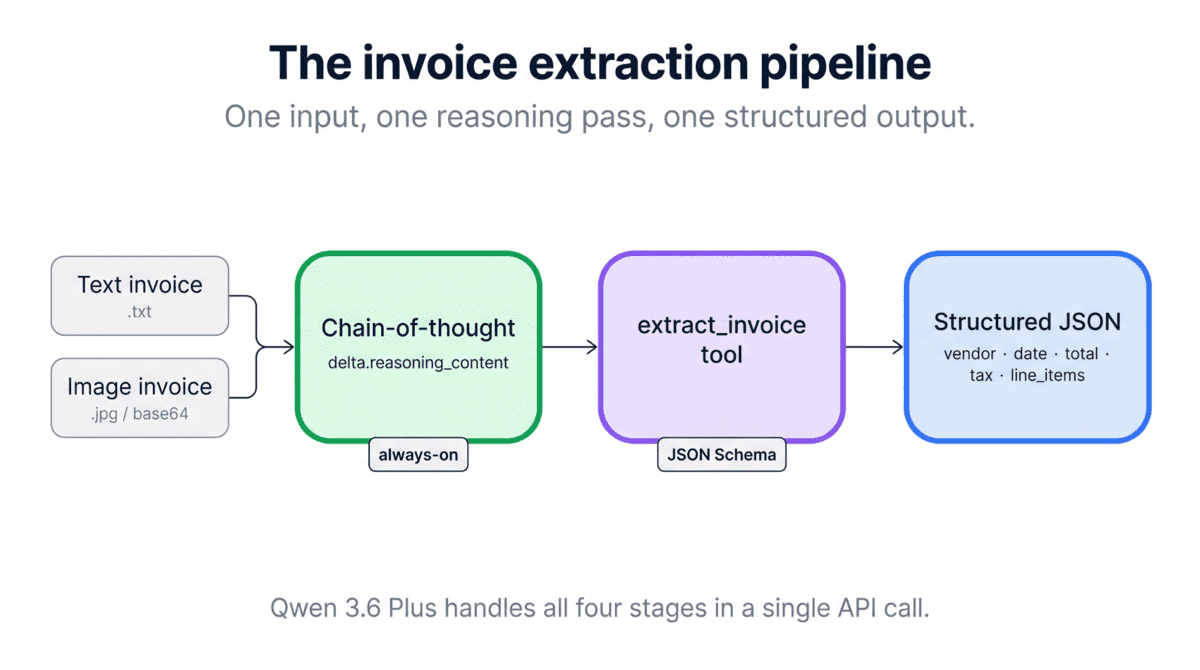
This tutorial uses Qwen 3.6 Plus, Python, and the OpenAI SDK to build an automated invoice processing pipeline with native vision and tool calling. The goal is to extract useful fields from invoices and turn them into structured outputs.
What you will learn:
- How to use a vision-capable AI model
- How to process invoice documents
- How to extract structured data
- How to build a practical business automation pipeline
Guide: Qwen 3.6 Plus API Tutorial: Building an Invoice Processing Pipeline in Python.
GitHub: BexTuychiev/qwen-invoice-pipeline-tutorial
# 6. Build a Chart Digitizer with Claude Opus 4.7
Visual data often gets trapped inside static charts, screenshots, and PDFs. This project shows how to use Claude Opus 4.7's high-resolution vision capabilities to turn chart images into structured data.

In this DataCamp tutorial, you build a Python-based chart digitizer that reads a chart image, identifies the axes, extracts the data points, and saves the results into a clean Pandas DataFrame or CSV file. The guide also introduces Claude Opus 4.7's adaptive thinking, high effort level, and structured tool-based outputs.
What you will learn:
- How to use the Claude Opus 4.7 API
- How to work with high-resolution multimodal inputs
- How to extract data from chart images
- How to structure model outputs with tools
- How to save extracted data using Pandas
Guide: Claude Opus 4.7 API Tutorial: Building a Chart Digitizer.
# 7. Build an Exercise Trainer with Persistent Memory
Most AI agents forget everything once the session ends. Persistent memory solves this by allowing agents to remember user preferences, history, and previous interactions.
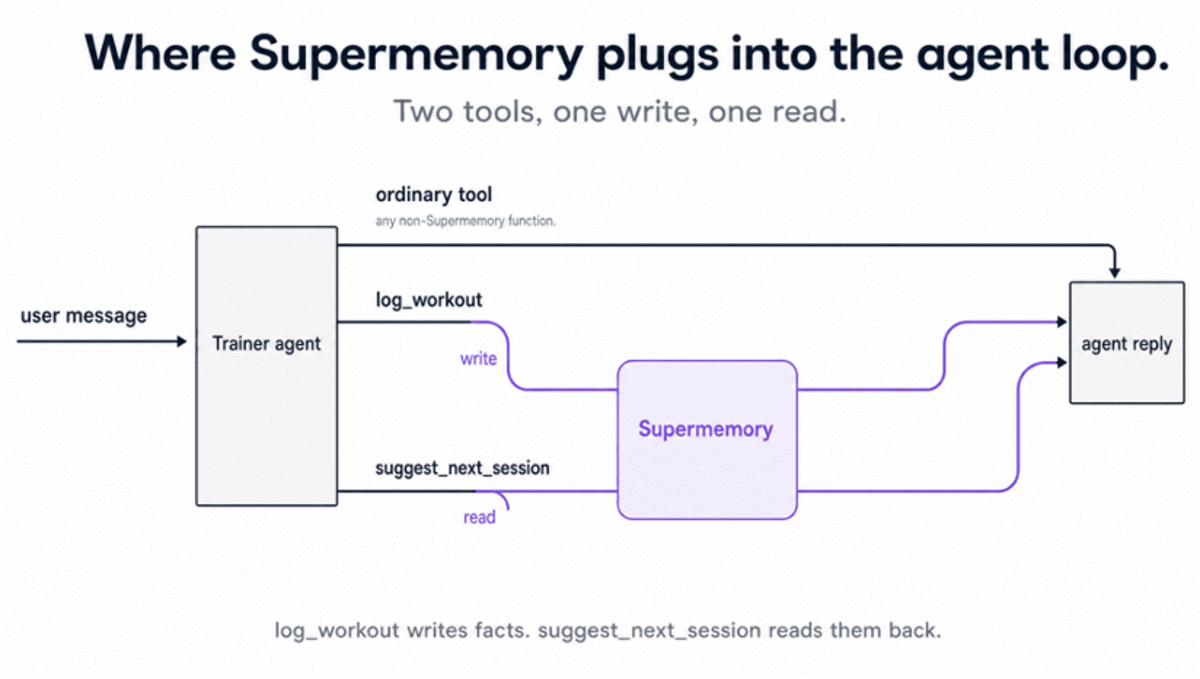
This project uses Supermemory to build a Python exercise trainer that logs workouts, remembers user history, and suggests personalized sessions across separate runs of the script.
What you will learn:
- How to persistent memory works in AI agents
- How to store and retrieve user-specific facts
- How to build agents that improve across sessions
- How to personalize outputs without re-entering context every time
Guide: Supermemory Tutorial: Add Persistent Memory to AI Agents.
# Final Thoughts
Most of the projects in this list were built by me, and I made sure they are reproducible, easy to set up, and practical enough to adapt to your own workflow.
The other projects I selected are included because they are useful, simple to build, and solve real problems. They are not just demos. They show how AI can help with research, document processing, job search, market analysis, and personal productivity.
With access to new model APIs, memory tools, and web automation APIs, you can build many of these projects for less than $5 and in under an hour if you follow the guides properly.
More importantly, these projects teach you how AI agents actually work. Instead of coding every step manually, you learn how to give agents tools, context, and goals so they can decide the best path and make your workflow more intelligent.
Abid Ali Awan (@1abidaliawan) is a certified data scientist professional who loves building machine learning models. Currently, he is focusing on content creation and writing technical blogs on machine learning and data science technologies. Abid holds a Master's degree in technology management and a bachelor's degree in telecommunication engineering. His vision is to build an AI product using a graph neural network for students struggling with mental illness.