


Collaborative AI Systems: Human-AI Teaming Workflows
Everyone says they're "collaborating" with AI. Most are just giving orders and accepting whatever comes back.
Image by Author
# Introduction
When we work with data scientists preparing for interviews, we see this constantly: prompt in, response out, move on. No one ever reviews anything, and no one ever thinks about why.
What about the companies shipping the most innovative projects? They have found a new way to collaborate. They have developed environments in which people and AI collaborate on decisions. AI generates options, surfaces patterns, and flags what needs attention. It shows its work so you can verify. Humans review, add context, and make the final call. Neither party simply gives orders to the other.
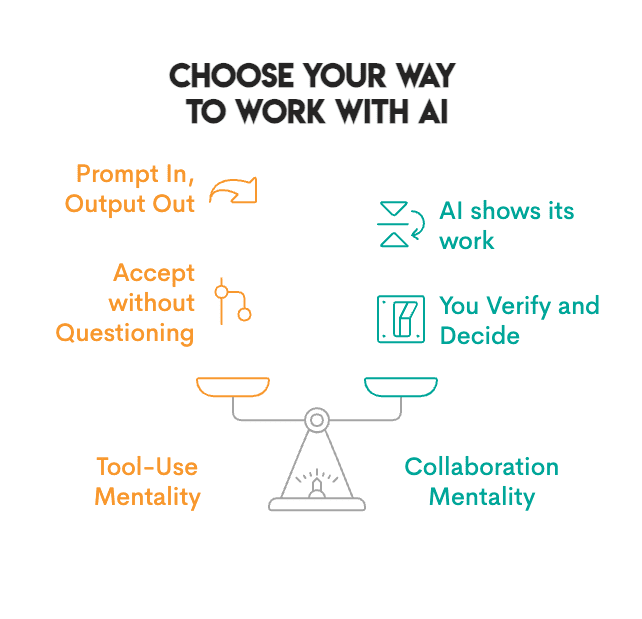
Image by Author
# Observing Real-World Applications
This is not just theory; it is happening now.
// Transforming Scientific Research and Healthcare
AlphaFold generated protein structure predictions that would otherwise require years of research in a laboratory. However, determining the meaning behind these predictions, their significance, and the sequence of experiments to perform next still requires human expertise.
The biotech company Insilico Medicine took it even further. Traditional drug development takes four to five years just to identify a promising compound. Insilico Medicine built an AI platform that generates and screens thousands of potential drug molecules, predicting which ones are most likely to work. Next, medicinal chemists review the best candidates, refine the structure, and create experiments to validate them. The results were significant: the time required to discover a lead compound decreased by approximately 75% — from four or five years to just 18 months.
The same pattern exists in pathology. PathAI analyzes tissue samples to diagnose diseases like cancer. Pathologists then review the AI findings and add their own clinical experience to make a diagnosis. According to a Beth Israel Deaconess Medical Center study, the result was 99.5% accurate cancer detections compared to 96% when the pathologist reviewed the slides independently. Additionally, the time required to review slides decreased significantly. AI catches patterns missed due to fatigue; humans provide clinical context.
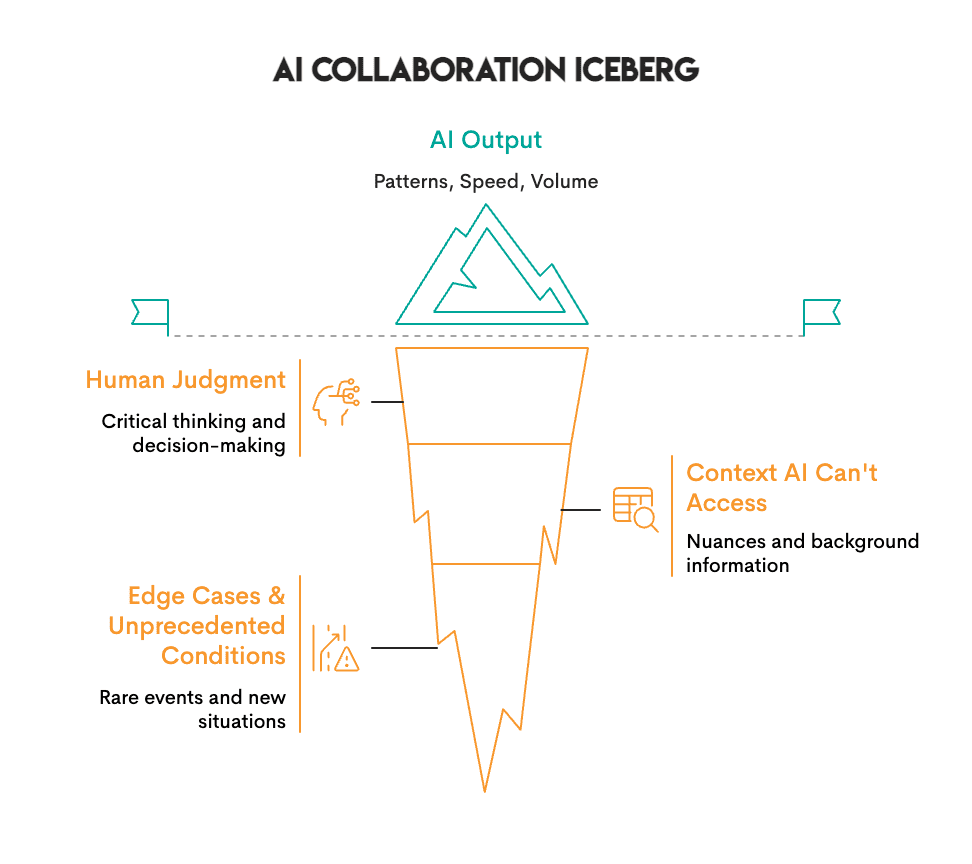
Image by Author
What we have learned is that AI finds patterns — it excels at volume and speed. People excel at judgment and context; they determine if those patterns matter.
AlphaFold predicted protein structures in hours that would take labs years, but scientists still decide what those structures mean and which experiments to run next. Insilico's AI generated thousands of drug molecules, but chemists decided which ones were worth synthesizing. PathAI flags suspicious cells at scale, but pathologists add the clinical context that determines diagnosis.
In each case, neither AI nor people alone achieved the result. The combination did.
// Enhancing Business Decisions
AI can accomplish in hours what took teams weeks: reviewing thousands of contracts, analyzing risk across global markets, and identifying patterns in usage data. All of this can be accomplished quickly, but deciding what to do with that information remains a human responsibility.
For example, JPMorgan Chase's legal teams manually reviewed contracts for 360,000 hours each year, a process that was slow, costly, and prone to errors. They created a solution called COiN, an artificial intelligence platform designed to read legal documents via natural language processing (NLP) and machine learning. COiN can extract key points within legal documents, identify unusual or questionable clauses, and categorize provisions within seconds. However, lawyers still review the items flagged by the system. As a result, JPMorgan can process contracts much faster than before, reduce its compliance errors by 80%, and allow its attorneys to spend their time negotiating and developing strategies rather than repeatedly reading contracts.
In another example, BlackRock is the world’s biggest asset manager, controlling assets worth a total of $21.6 trillion for institutional clients and individual investors. At this scale, BlackRock must analyze millions of risk scenarios across multiple global markets, which cannot be done by hand. To solve this problem, BlackRock developed Aladdin (Asset, Liability, Debt, and Derivatives Investment Network), an AI-based platform to collect and process large amounts of market data and identify potential risks before they occur. There is still a human component: BlackRock portfolio managers review Aladdin’s analytics and then make all allocations. The results show that risk analysis that previously took days is now performed in real time. Furthermore, BlackRock’s portfolios created utilizing Aladdin’s analytics, combined with human judgment, outperformed both pure algorithmic and pure human approaches. Currently, over 200 financial institutions license the Aladdin platform for their own operations.
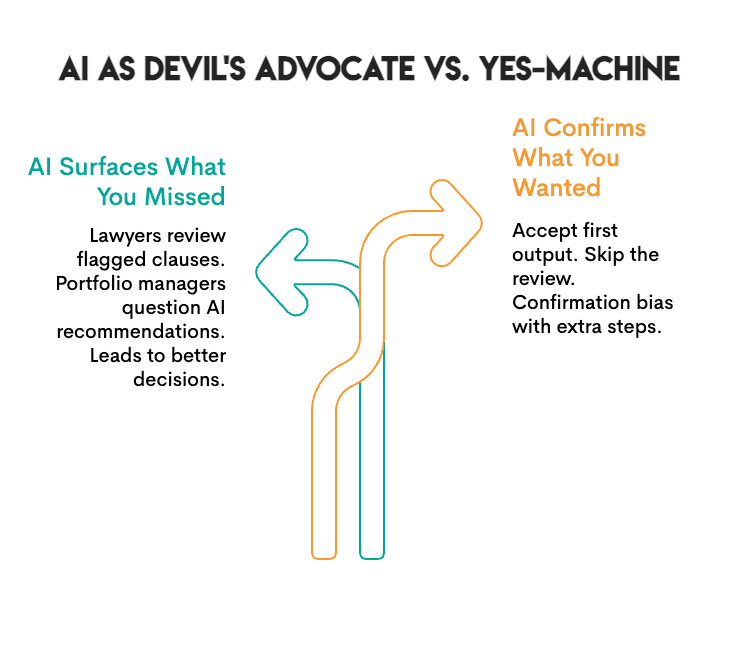
Image by Author
The pattern is clear: AI surfaces options and information at scale. But it will not tell you when you are wrong; you will have to figure that out yourself. JPMorgan's lawyers still review what COiN flags, and BlackRock’s portfolio managers still make the final decisions.
# Reviewing Collaborative AI Tools
Not all AI tools are built for collaboration. Some deliver an output as a "black box," while others were created to collaborate with you. The list below highlights tools that support collaboration:
// Using General Purpose Assistants
- Claude / ChatGPT: These are conversational AIs that provide feedback on your reasoning, flag ambiguity, and will tell you when they are unsure. They represent the closest tools to actual back-and-forth collaboration.
// Conducting Research and Analysis
- Elicit: This tool searches academic papers and extracts findings, showing you the evidence behind claims so you can determine whether to accept the information.
- Consensus: This platform synthesizes scientific literature and displays areas of agreement and disagreement among researchers so that you may view all aspects of a discussion.
- Perplexity: This provides search results with citations. Each claim links to a verified source.
// Optimizing Coding and Development
- GitHub Copilot: This tool suggests code completions. You review, accept, or modify; nothing runs unless you approve it.
- Cursor: This is an AI-native code editor. It displays diffs of proposed changes so you see exactly what the AI wants to modify before it happens.
- Replit: This provides explanations for code, suggests fixes, and assists with debugging. You remain in control of what is deployed.
// Advancing Data Science Workflows
- Julius: This tool analyzes data and creates visualizations. It displays the code that was used to create the visualization so you can audit the methodology.
- Hex: This is a collaborative data workspace with AI assistance. It was created for teams where humans and AI work together on analysis.
- DataRobot: This is an automated machine learning (AutoML) platform that provides explanations of model decisions. It displays feature importance and prediction confidence so you understand the underlying logic.
// Improving Writing and Communication
- Notion AI: This tool is integrated into your workspace for drafts, summaries, and brainstorms, but you choose what stays.
- Grammarly: This provides suggested edits with explanations. You either accept or reject each individual edit.
What makes these tools collaborative is that they show their work. They let you verify their findings and do not demand that you accept their output. That is the difference between a tool and a collaborator.
# Measuring Collaborative Success
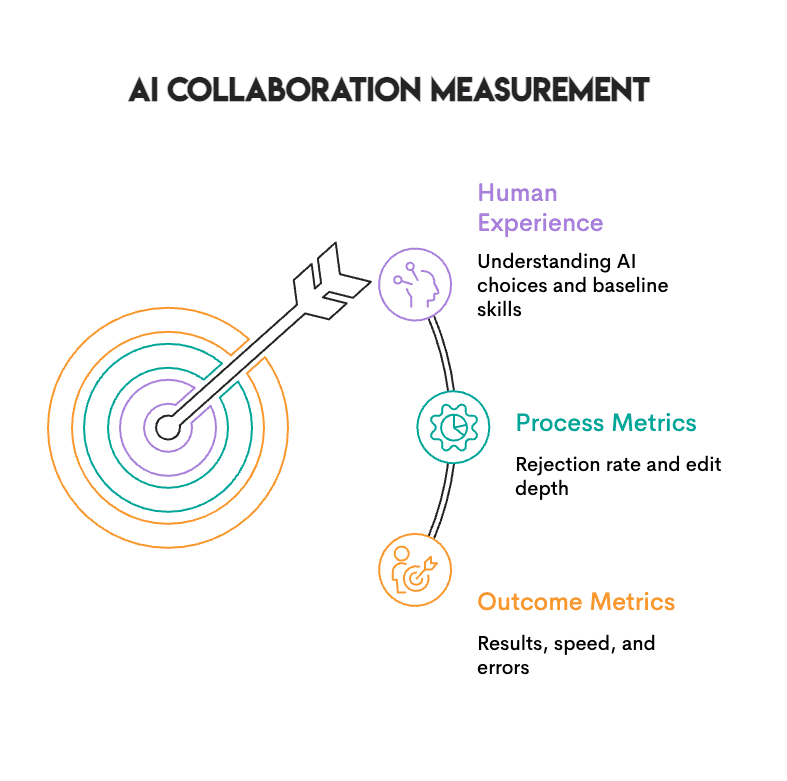
Image by Author
Three types of metrics help you evaluate whether human-AI collaboration is actually working:
- Outcome metrics are easy to track. Are you seeing better results? Faster turnaround? Fewer errors? You should track these.
- Process metrics are even more significant. If you are never rejecting AI outputs, that is not a sign of high-quality AI; it is a sign that you have stopped thinking.
- Human experience matters as well. Can you produce these outcomes without AI? Do you really understand why the AI chose what it did, or are you just going along with it because it sounds intelligent?
A good check: if you are always accepting the first output, that is closer to rubber-stamping than collaborating. Working without AI occasionally helps you maintain a baseline, so you know what is your work and what is the tool's.
# Implementing Effective Practices

Image by Author
Teams that get this right tend to follow a few common practices:
- Establish clear roles: Determine what role you play and what role the AI plays. One common setup involves the AI generating options while you select the best one. This allows you to use AI's ability to explore many possibilities while keeping the final decision with you.
- Build in checkpoints: Do not allow AI outputs to proceed directly to the next phase without a brief pause. You do not need formal approval, but you should take a minute to think about why the AI chose what it did. If you cannot articulate the reason, do not accept the output.
- Demand transparency: Use tools that show their work, including the code they generated, the sources they used, and the changes they proposed. If you cannot see how the AI reached its output, you cannot verify it.
- Stay sharp: Periodically work without AI. This is not a statement of resistance, but rather a standard to compare against. You want to know what your unassisted work looks like, and you want to be able to perform if the tools fail.
# Concluding Thoughts

Image by Author
Human-AI teaming represents a real shift. We are learning to interact with systems that provide input, rather than just executing commands.
Making it work requires new skills, such as knowing when to rely on AI and when to question it. It involves evaluating processes to know whether they produce results or simply feel productive. Most importantly, it requires staying sharp enough to catch mistakes when they happen.
Teams that develop ways to collaborate with AI produce better results. They identify errors sooner and consider options they would not otherwise have thought of. Teams that do not develop these skills tend to either utilize AI in such a limited fashion that they miss the potential benefits, or they become so dependent that they cannot function without it.
# Answering Common Questions
// What is the difference between utilizing AI as a tool versus collaborating with it?
Tool use involves providing a command to the AI, which it executes while you accept the output. Collaboration involves the AI showing its work so you can verify and decide. You can see the sources, the code, and the reasoning, and then choose whether to accept, adjust, or reject the output. If you cannot see how the AI reached its conclusion, you cannot truly collaborate.
// How can I avoid becoming too reliant on AI?
Periodically work without AI and track whether you can articulate why the AI presented the output it did. If you find that you are routinely accepting the first output provided, or if your performance suffers significantly when working without AI, you are likely overly reliant on it.
// Are companies evaluating this in interviews?
Yes. Interviewers now watch how candidates interact with AI. Those who accept every suggestion without questioning demonstrate poor judgment, while those who review, question, and adjust AI outputs demonstrate good judgment.
Nate Rosidi is a data scientist and in product strategy. He's also an adjunct professor teaching analytics, and is the founder of StrataScratch, a platform helping data scientists prepare for their interviews with real interview questions from top companies. Nate writes on the latest trends in the career market, gives interview advice, shares data science projects, and covers everything SQL.