


How to Use Hugging Face Spaces to Host Your Portfolio for Free
Hugging Face Spaces is a free way to host a portfolio with live demos, and this article walks through setting one up step by step.
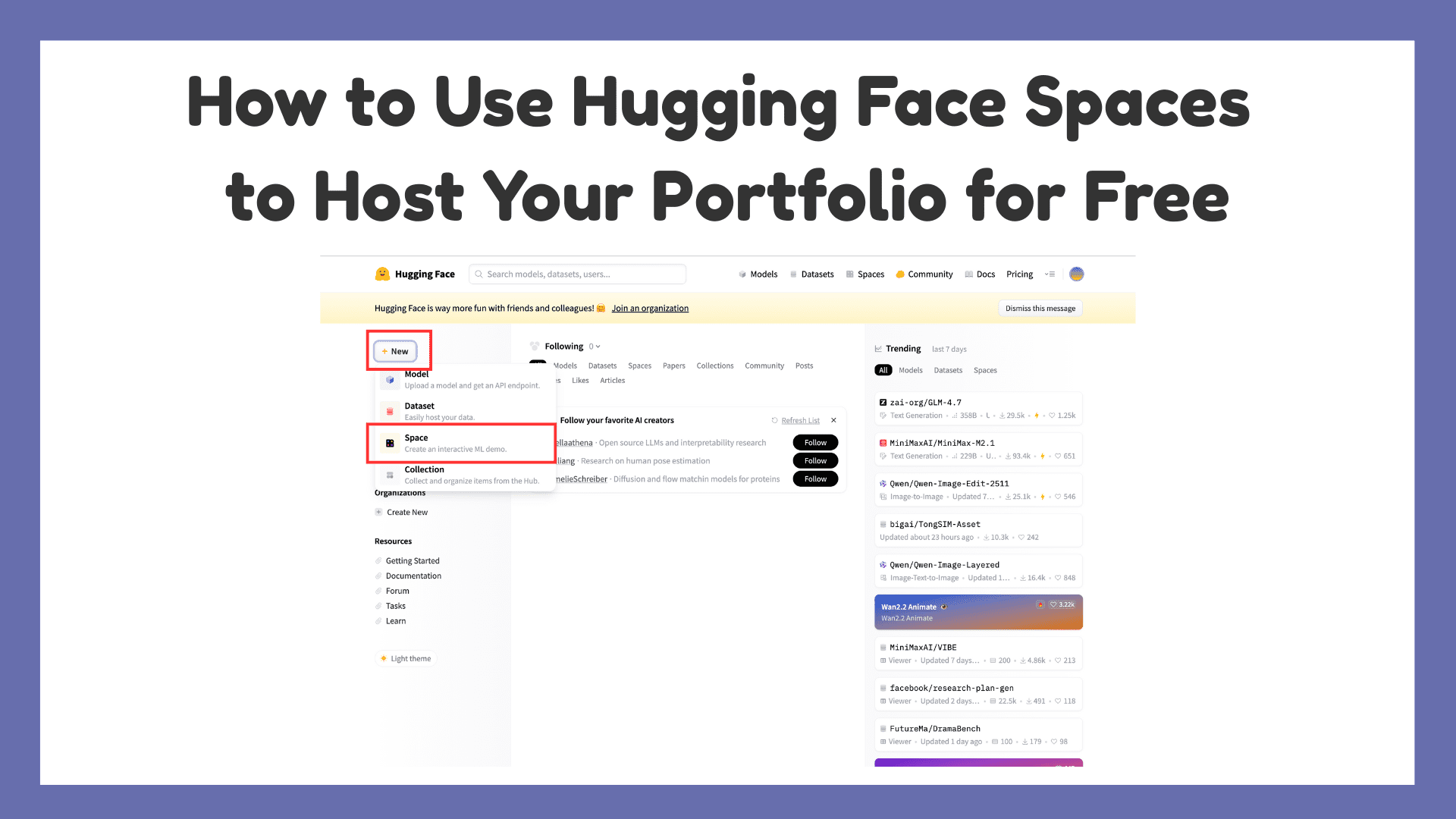
Image by Author
# Introduction
An online portfolio isn’t optional anymore. It’s usually the first thing people check when they want to see what you can actually do. Not your CV. Not your LinkedIn. Your work. If you’re building things as a developer, data scientist, ML engineer, designer, or even just learning, a portfolio gives your projects a place to live. And you don’t need paid hosting to do it.
Hugging Face Spaces is one of those tools people overlook. It’s free, easy to deploy, and good enough to host a clean personal site with live demos. You can keep it simple or add interactive pieces if that fits your work. In this article, we will cover what Hugging Face Spaces is, why it’s great for portfolios, and how you can deploy yours step by step.
# What is Hugging Face Spaces?
Hugging Face Spaces is a platform that allows you to host web applications directly from a GitHub repository, making deployment simple and accessible even for beginners. While it was originally designed to showcase machine learning demos, the platform has evolved significantly and now supports a wide range of use cases, including static websites, Python-based applications, interactive user interfaces, and fully functional AI-powered demos. You can build Spaces using:
- Static HTML/CSS/JS
- Gradio (Python UI framework)
- Streamlit
For portfolios, this flexibility is a huge advantage. Let’s see step by step how to host your portfolio on Hugging Face Spaces for free.
# Step 1: Creating a Hugging Face Account
Go to Hugging Face and sign up.
# Step 2: Preparing Your Portfolio
You can choose one of the following approaches:
// Option A: Static Website (HTML/CSS/JS)
Your folder might look like:
portfolio/
│── index.html
│── style.css
│── script.js
// Option B: Python-Based Portfolio (Gradio / Streamlit)
This includes files as:
app.py
requirements.txt
# Step 3: Creating a New Space
-
Click New Space

This opens the following page
-
Choose:
- Owner: your username
- Space name: e.g. my-portfolio
- License: MIT (recommended)
-
Select SDK:
- Static for HTML, CSS, and JS portfolios
- Gradio for Python-based interactive portfolios
- Streamlit for data dashboards
-
After filling up, click Create Space.


# Step 4: Uploading or Connecting Your Code
You can upload files directly or connect to a GitHub repository.
- For Static SDK, just upload index.html and assets.
- For Gradio or Streamlit, ensure:
- app.py exists
- requirements.txt lists dependencies
Hugging Face automatically builds and deploys your Space. For example, since I selected Gradio, I will click create the app.py file:
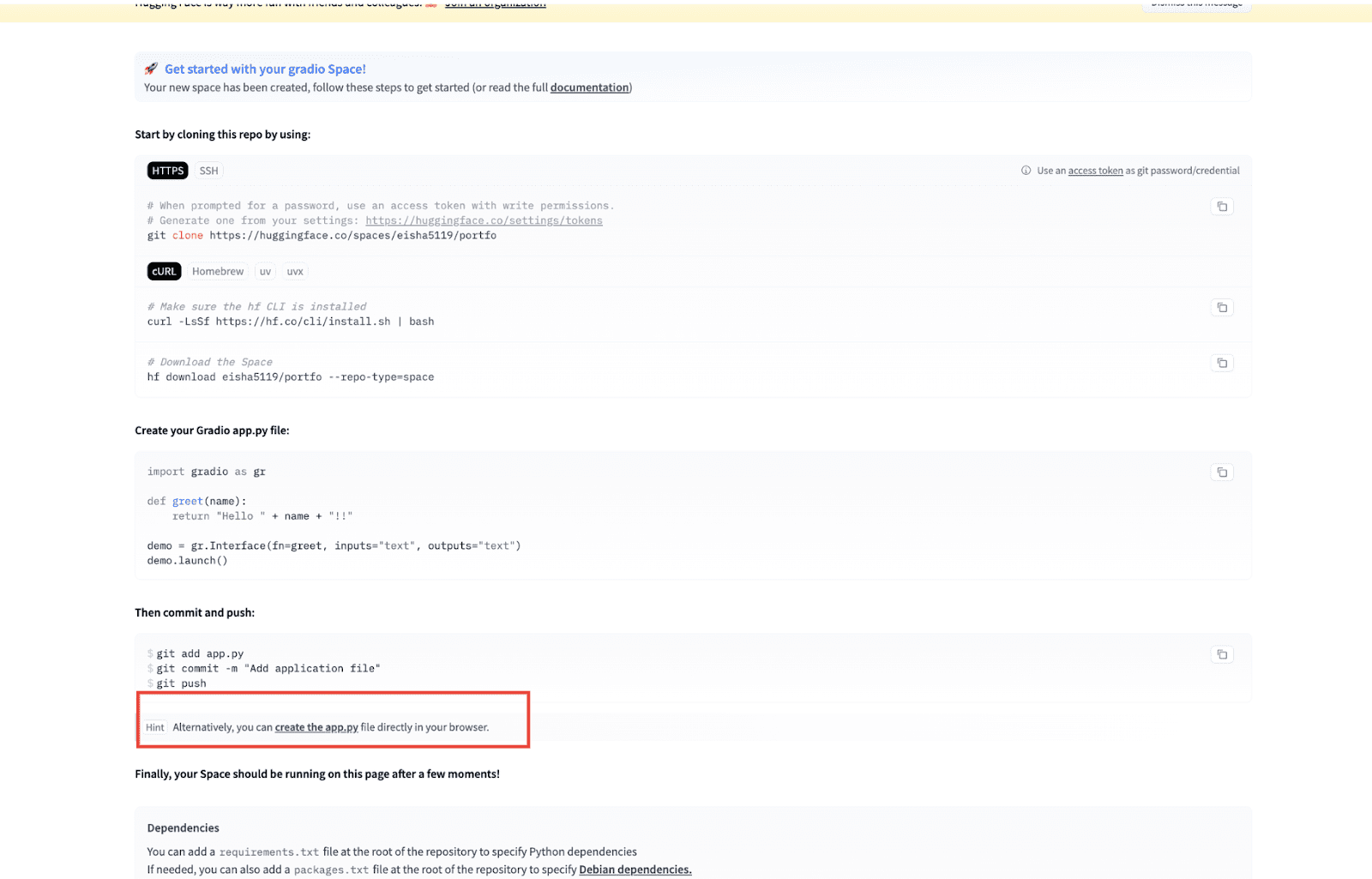
After this, the following page opens:
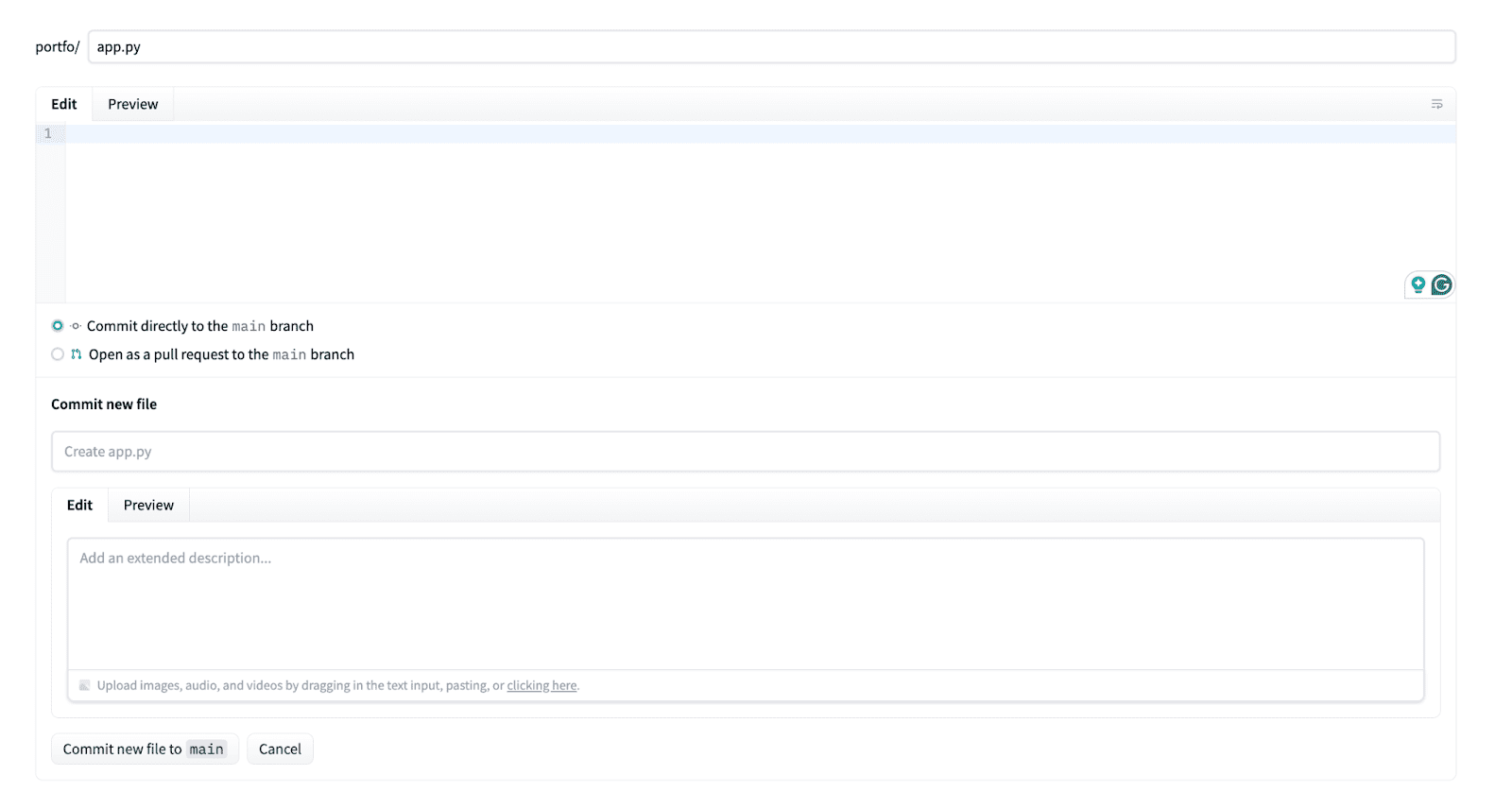
I will edit the app.py file as follows:
import gradio as gr

def contact_message(name, message):
    return f"Thanks {name}! Your message has been received 😊"

with gr.Blocks(title="Eisha's Portfolio") as demo:
    gr.Markdown(
        """
        # 👋 Hi, I'm Kanwal
        ### AI / ML Enthusiast | Python Developer

        Welcome to my portfolio!
        I enjoy building AI-powered applications and clean backend systems.
        """
    )

    gr.Markdown("## 🚀 Projects")
    gr.Markdown(
        """
        **🔹 PDF Parser with LangChain**
        Custom PDF parsing with header/footer removal and LLM integration.

        **🔹 Case Similarity Finder (FYP)**
        Finds similar medical/legal cases using LLaMA-based embeddings.

        **🔹 AI Chatbot Demo**
        Conversational AI built using Hugging Face models.
        """
    )

    gr.Markdown("## Resume")
    gr.Markdown(
        "[Download my resume](https://example.com/resume.pdf)"
    )

    gr.Markdown("## Contact Me")
    name = gr.Textbox(label="Your Name")
    message = gr.Textbox(label="Your Message", lines=3)
    output = gr.Textbox(label="Response")
    submit = gr.Button("Send Message")
    submit.click(contact_message, inputs=[name, message], outputs=output)

    gr.Markdown(
        """
        ---
        🔗 **GitHub:** https://github.com/yourusername
        🔗 **LinkedIn:** https://linkedin.com/in/yourprofile
        """
    )

demo.launch()
After editing the app.py file, click on Commit new file to main:

# Step 5: Your Portfolio is Live
Now, on the same page, click on App to view your portfolio.

Upon clicking, you can see your portfolio:
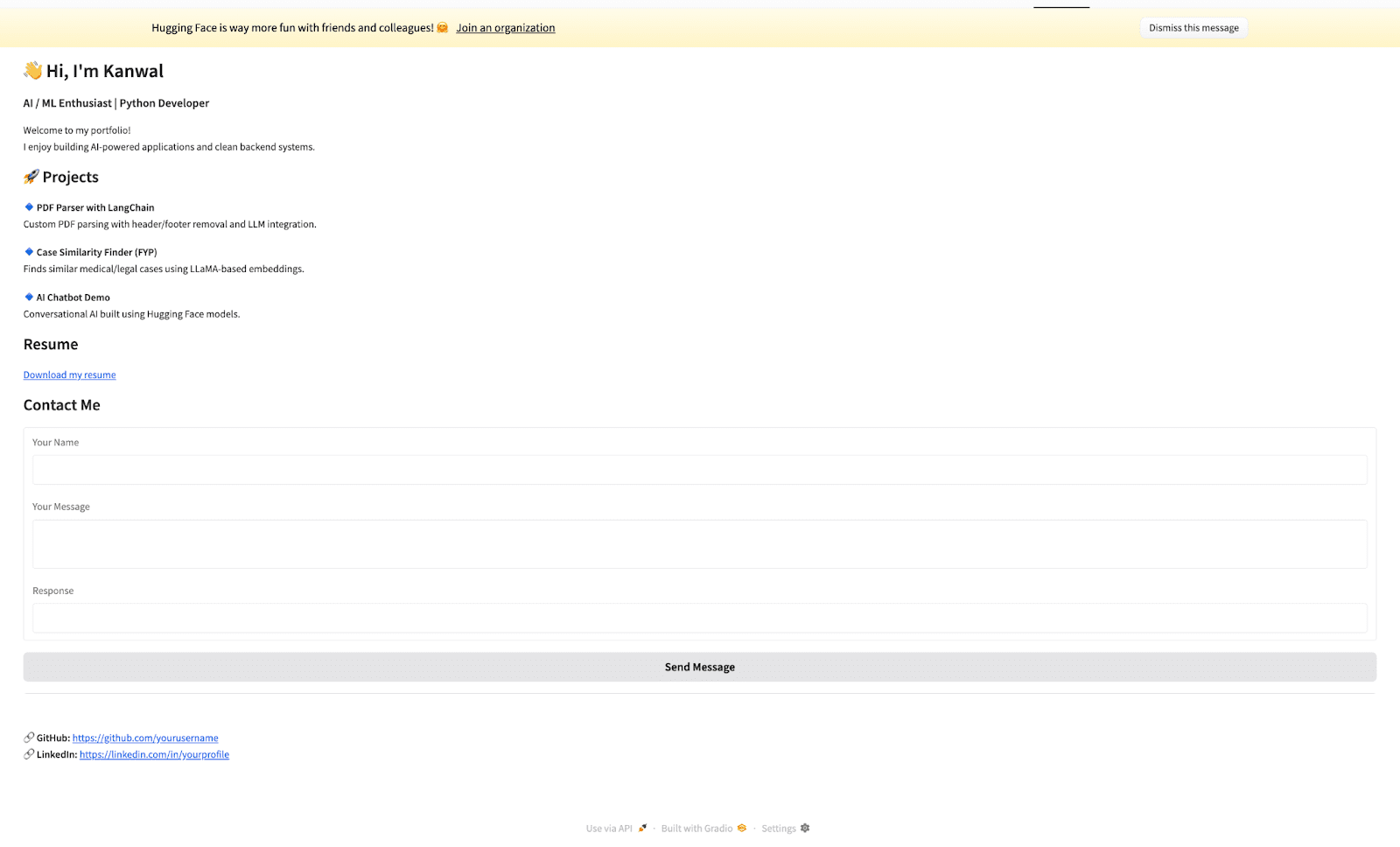
Alternatively, you can also visit https://<your-username>-<space-name>.hf.space to view your portfolio. This is your live, shareable portfolio link. A portfolio doesn’t have to be static. You can include:
- About Me section
- Projects with live demos
- Resume download
- Contact links
- GitHub and LinkedIn
With Gradio, you can turn this into an interactive experience.
# Tips to Make Your Portfolio Stand Out
-
Add Live Demos:
- ML models
- Chatbots
- NLP tools
- Data visualizations
- Keep It Lightweight: Free Spaces have resource limits, so optimise assets
- Use a Clean UI: Minimal design over flashy animations
- Add a README.md: Your Space page shows README content, so use it wisely
# Final Thoughts
Hugging Face Spaces is more than a demo platform. It’s a free, modern, and powerful hosting solution for portfolios. If your work involves code, data, or AI, hosting your portfolio on Spaces instantly differentiates you from traditional static sites. Your portfolio shouldn’t just say what you can do. It should show it live.
Kanwal Mehreen is a machine learning engineer and a technical writer with a profound passion for data science and the intersection of AI with medicine. She co-authored the ebook "Maximizing Productivity with ChatGPT". As a Google Generation Scholar 2022 for APAC, she champions diversity and academic excellence. She's also recognized as a Teradata Diversity in Tech Scholar, Mitacs Globalink Research Scholar, and Harvard WeCode Scholar. Kanwal is an ardent advocate for change, having founded FEMCodes to empower women in STEM fields.