


I Tested 5 AI Coding Assistants for a Month: Here’s What I Actually Found
Compare five AI coding assistants across real tasks to find which tool fits your workflow.
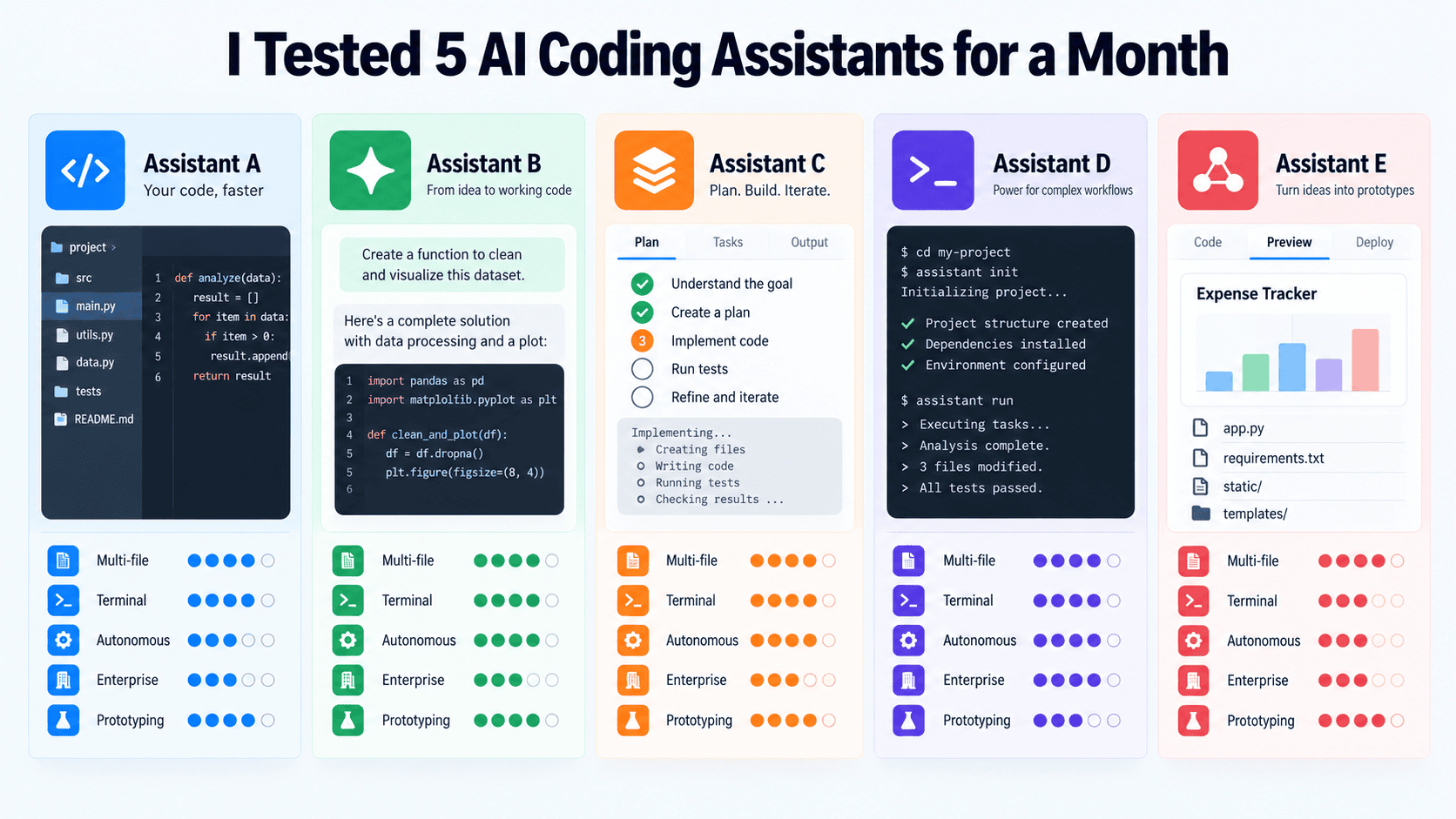
The pitch is always the same: describe what you want, watch the code appear, ship faster. After a month of putting five of the most-discussed AI coding assistants through real work — a legacy refactor, a greenfield API build, and a few debugging sessions I'd rather forget — the honest answer is messier than any vendor demo suggests.
Each tool carries a different philosophy about what AI assistance should look like. Cursor wants to replace your entire editor. GitHub Copilot wants to enhance the one you already have. Claude Code wants to work beside you in the terminal. Windsurf (Devin Desktop) wants to run autonomously for as long as you let it. Replit Agent wants to take you from blank canvas to deployed URL without leaving your browser. These aren't small differences in implementation. They're genuinely different bets on how software will be written in the next few years.
Here's what actually happened.
Cursor: The AI-Native Integrated Development Environment
Cursor starts from a conviction that the editor itself should be rebuilt around AI, not adapted to accommodate it. The interface feels familiar if you've used VS Code, because it's built on top of it, but the experience diverges quickly once you start working with its Composer and Agent modes.
Multi-file awareness is where Cursor earns its reputation. When I brought it into a moderately complex Django project and asked it to rename a data model and propagate that change across views, serializers, tests, and migrations, it handled the scope without losing the thread. That kind of cross-file coherence is what separates Cursor from simple autocomplete tools.
Agent mode, which lets Cursor edit files, run terminal commands, and iterate on its own output, is where things got more interesting and occasionally more frustrating. On well-scoped tasks, it moved fast. On open-ended requests in a large codebase, it sometimes produced changes that were locally correct but globally inconsistent, silently adjusting things I hadn't asked it to touch.
Pricing sits at around \$20 per month for the Pro tier, with usage-based billing for heavier agentic sessions. For developers doing substantial refactoring work, it's probably worth it. For someone who mainly wants inline suggestions, the value proposition is harder to justify against cheaper alternatives.
What It's Best At
Complex multi-file refactors, large codebases where context continuity matters, developers who want an opinionated AI-first environment and are willing to invest time learning it.
Where It Struggles
The autonomy that makes it effective on clear tasks makes it risky on vague ones. You need to write good prompts and review changes carefully.
GitHub Copilot: The Enterprise Incumbent
GitHub Copilot is the tool that normalized the idea of an AI writing your code. It's been running in production environments at scale longer than most of its competitors have existed, and that history shows. The inline suggestion experience remains genuinely good — latency is low, completions are contextually aware, and the integration with VS Code, JetBrains, and other environments is smooth.
The more recent additions — Ask, Plan, and Agent modes inside Copilot Chat — are where the comparison with purpose-built AI editors gets interesting. Ask lets you query your codebase conversationally. Plan lets Copilot lay out a multi-step approach before executing. Agent mode lets it take action across files.
In practice, these features work well within clearly bounded tasks. What I noticed is that they feel slightly less cohesive than the equivalents in Cursor or Windsurf. That's not a fatal flaw. For teams already using GitHub Actions, GitHub Codespaces, and the broader Microsoft ecosystem, Copilot integrates in ways that genuinely reduce friction. The context it draws from your repository, pull request history, and GitHub issues is something no standalone tool replicates.
The individual tier starts at \$10 per month, making it the most accessible paid option here. Enterprise pricing adds security features and policy controls that matter to larger engineering organizations.
What It's Best At
Developers who want to stay in their existing editor, teams with GitHub-centric workflows, organizations that need enterprise-grade compliance and auditing.
Where It Struggles
The agentic features, while functional, feel like additions rather than foundations. If autonomous multi-step coding is your primary need, tools built around that use case from the start have an edge.
Claude Code: The Terminal Agent
Claude Code operates from a different premise entirely. There's no graphical interface. It runs in your terminal, reads your files, executes commands, runs your tests, parses the failures, and iterates. The loop it runs is deliberately close to how a careful developer works: write, run, observe, adjust.
What makes this distinctive is that Anthropic built Claude with reasoning as a first concern, and that shows in how Claude Code handles tasks that require holding multiple constraints in mind simultaneously. During my testing, I gave it a moderately involved task: extend a REST API to support a new resource type, write tests for it, and ensure the existing tests still passed. It worked through the problem in steps, caught a dependency issue it created in an earlier pass, and corrected it without prompting.
The absence of a graphical interface isn't just a design choice. It means Claude Code fits naturally into workflows that already live in the terminal, and it can operate effectively over SSH on remote machines. It also means there's less visual scaffolding to guide you — you need to be comfortable reading its output and redirecting it when it goes sideways.
Claude Code uses Anthropic's API, so costs are consumption-based rather than subscription-based, which makes it harder to predict for teams with variable usage. For individual developers doing intensive sessions, the costs can add up faster than a flat monthly fee.
What It's Best At
Multi-step logic tasks, developers who think in the terminal, projects where reasoning about constraints and failure modes matters more than speed of initial generation.
Where It Struggles
No visual interface means onboarding is steeper. Cost predictability requires attention.
Windsurf (Now Devin Desktop): The Autonomous Workspace
Windsurf, originally developed by Codeium and acquired by Cognition, is built around a feature called Cascade. Instead of re-establishing context with each prompt, the AI maintains continuous awareness of your workspace across an extended session. You're not repeatedly explaining what the codebase is. Windsurf already knows.
In practice, Cascade's strength shows in sessions where you're developing a feature over time rather than issuing discrete one-off tasks. It tracked changes I made manually alongside the ones it made autonomously, and incorporated both into subsequent suggestions without needing to be reminded.
The risk is the same one that comes with any extended autonomous operation: drift. Over a long session, Windsurf occasionally made structural choices that were reasonable in isolation but inconsistent with decisions made earlier. Not frequently enough to be a serious problem, but enough that careful review of its output remained necessary.
The free tier is genuinely useful for evaluation purposes. Paid tiers start around \$15 per month. For developers who do long, focused feature-development sessions and want an AI that maintains workspace awareness throughout, Windsurf is one of the more coherent implementations of that idea.
What It's Best At
Extended feature development sessions, developers who want workspace-aware AI without constant re-prompting, teams looking for a capable alternative to Cursor with a lower entry cost.
Where It Struggles
Extended autonomy requires active review. Architectural drift in longer sessions is a real consideration.
Replit Agent: The End-to-End Builder
Replit Agent is the most ambitious tool on this list in terms of what it attempts to do. The pitch is complete: describe an application, watch it get built, see it deployed, all inside a single browser tab. Editor, runtime, AI, and hosting are one integrated environment.
For prototyping, this works remarkably well. I used it to spin up a simple expense tracking application in under an hour. The application ran, the data persisted, and the URL was shareable immediately. For someone without a configured local development environment, or a founder who needs to validate an idea quickly, that's a genuine capability.
The boundary the tool runs into is the production question. The applications it generates are architecturally straightforward, appropriate for the use case but limiting as requirements grow more complex. Customizing generated code beyond the agentic workflow means engaging with Replit's editor directly, and taking a Replit Agent application into a more mature production environment involves rewriting more than you might expect.
The free tier supports basic usage. Core starts around \$25 per month. For education, rapid prototyping, and early-stage product validation, it earns its place. For production engineering work, it's better understood as a starting point than a complete workflow.
What It's Best At
Prototyping, early validation, developers who want to go from idea to deployed URL without environment setup, educational contexts.
Where It Struggles
Production complexity eventually exceeds what the agentic paradigm handles gracefully. Long-term maintainability of generated applications requires additional investment.
What a Month of Testing Actually Reveals
No single tool won across all tasks, which is probably the most useful finding. The differences between them are differences of philosophy, and the right choice depends on what kind of work you mostly do.
If your work centers on complex changes to existing codebases, Cursor's multi-file awareness and Windsurf's session continuity both address that well, with Cursor being more aggressive and Windsurf more persistent. If you want to stay in your existing editor inside an established enterprise workflow, Copilot's integration depth is unmatched. If you think primarily in the terminal and value careful reasoning over rapid generation, Claude Code operates closest to that mode. And if you need to go from nothing to a deployed prototype as fast as possible, Replit Agent has no real competitor.
The question worth asking before choosing a tool isn't which AI coding assistant is best in general. It's which philosophy fits the shape of your actual work. After a month, that question feels a lot more answerable, even if the answer is different for everyone who asks it.
Wrapping Up
Five tools, one month, five genuinely different answers to the same question. The AI coding assistant space has moved past the point where any of these can be dismissed as demos. They're real tools with real trade-offs, and the developers getting the most from them are the ones who matched the tool to the work rather than defaulting to whatever's most widely discussed.
The next step is trying one in your own environment, on your own codebase, on the kind of task you actually do every day. That test will tell you more than any comparison article, including this one.
Recommended Resources
- Cursor documentation: Covers Composer, Agent mode, and keyboard shortcuts for getting productive quickly
- GitHub Copilot documentation: Comprehensive coverage of all Copilot features across supported editors
- Claude Code documentation: Setup, CLI reference, and best practices for terminal-based workflows
- Windsurf (Devin Desktop) documentation: Cascade feature guide and workspace configuration
- Replit Agent documentation: Agent workflow, deployment, and environment management
Vinod Chugani is an AI and data science educator who bridges the gap between emerging AI technologies and practical application for working professionals. His focus areas include agentic AI, machine learning applications, and automation workflows. Through his work as a technical mentor and instructor, Vinod has supported data professionals through skill development and career transitions. He brings analytical expertise from quantitative finance to his hands-on teaching approach. His content emphasizes actionable strategies and frameworks that professionals can apply immediately.