


Building AI Agents with Docker Agent
Docker Agent is an open-source, Apache 2.0-licensed CLI plugin built by Docker Engineering, installed and run as docker agent. Its own tagline states the goal plainly: run AI agents like containers.
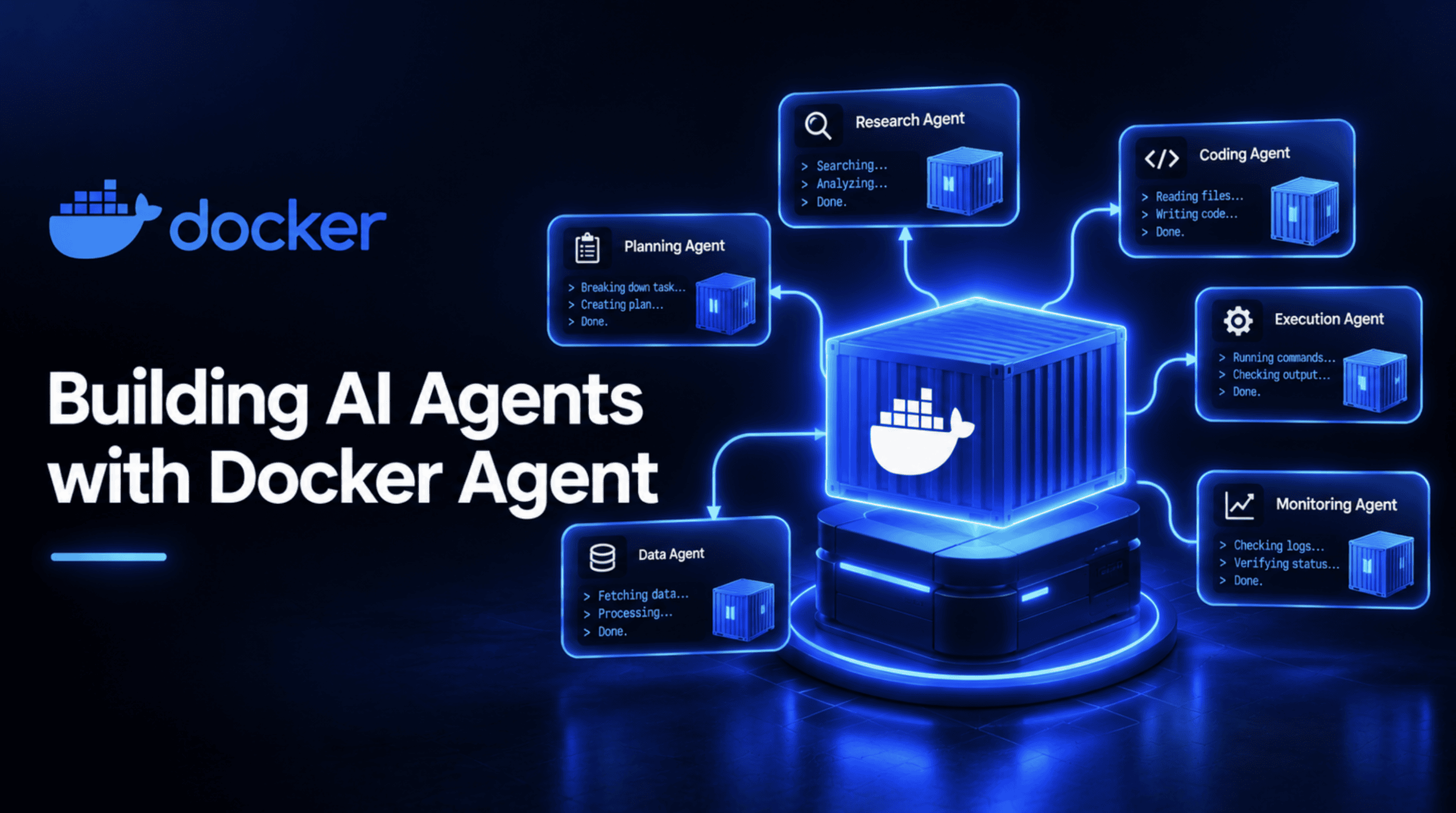
Docker built its reputation on one idea: package software once, run it anywhere, the same way, every time. Docker Agent applies that same idea to AI agents: describe them in a declarative config instead of code, run them through a CLI plugin, and distribute them through the same OCI registries that already store your container images. If you've ever wished an AI agent could be defined, versioned, and shared like a container, that's the gap this tool fills.
This is a full, hands-on tutorial, from a completely bare install to a real, working multi-agent team.
What Is Docker Agent?
Docker Agent is an open-source, Apache 2.0-licensed CLI plugin built by Docker Engineering, installed and run as docker agent. Its own tagline states the goal plainly: run AI agents like containers. Its Go module history on pkg.go.dev shows early tagged releases from March 2026, and it's grown quickly since; the project has already passed 3,300 GitHub stars and nearly 10,000 commits.
It didn't appear out of nowhere. Docker spent 2025 building toward exactly this: a July 2025 announcement extended Docker Compose to support agents and AI models directly, and Docker Model Runner shipped as a way to run models locally without a cloud API key. Docker Agent is the product of that groundwork landing in one dedicated tool, rather than a single feature bolted onto Compose.
What actually makes it distinctive: agents are defined in YAML (or HCL, if you prefer that syntax), not code, which means no software engineering background is required to build one. It's provider-agnostic, working with OpenAI, Anthropic, Gemini, AWS Bedrock, Mistral, xAI, and fully local models through Docker Model Runner, so a config isn't locked to one vendor. It supports genuine multi-agent orchestration, teams of specialized agents that delegate work to each other. Its tool ecosystem includes built-in tools plus any MCP server, run locally, remotely, or inside its own Docker container for isolation. And, tying back to the container analogy directly, finished agents can be pushed to and pulled from any OCI-compatible registry — the same distribution mechanism Docker images already use.
Prerequisites and Installing Docker Agent
You need three things: Docker installed on your machine, a way to actually run it, and access to at least one language model.
Installation has three real paths. If you're running Docker Desktop 4.63 or newer, the plugin is already there; just run docker agent.
Via Homebrew, brew install docker-agent installs the binary directly; run it as docker-agent, or symlink it to ~/.docker/cli-plugins/docker-agent to use the docker agent form instead.
For a binary release, download it directly from GitHub Releases and symlink it the same way.
Setting up a model comes next, and you have two real options. The simplest is a cloud provider's API key, set as an environment variable:
export ANTHROPIC_API_KEY=sk-ant-your-key-here
# or OPENAI_API_KEY, GOOGLE_API_KEY, depending on your provider
Or skip a cloud key entirely and run a model locally through Docker Model Runner, which the rest of this tutorial will note as an alternative wherever a model is specified. Confirm the install worked with:
docker agent --helpIf that prints a list of commands rather than an error, you're ready for the first real agent.
Building Your First Agent
The smallest real Docker Agent is a single YAML file. Create agent.yaml:
agents:
  root:
    model: anthropic/claude-sonnet-4-5
    description: A helpful coding assistant
    instruction: |
      You are an expert software developer. Help users write
      clean, efficient code. Explain your reasoning step by step.
    toolsets:
      - type: filesystem
      - type: shell
      - type: think
Code explanation:
rootis the name of this agent, and every config needs at least one agent with this exact name as its entry pointmodelfollows aprovider/model-nameformat, here pointing to Claude Sonnet 4.5 through Anthropicdescriptionis a short summary the runtime uses to identify the agent, which becomes important the moment more than one agent exists in a configinstructionis the system prompt — the actual behavior you're defining — written in plain languagetoolsetsis a list of capabilities this agent can use:filesystemgrants read and write access to files;shellallows running commandsthinkgives the agent a structured space to reason step by step before acting, useful for models without strong native reasoning built in
Run it with the interactive terminal UI:
docker agent run agent.yamlOr run it non-interactively for a single task, useful in scripts or CI:
docker agent run --exec agent.yaml "Create a Dockerfile for a Node.js app"Code explanation:
- The first command drops you into a live chat session with the agent
- The
--execflag skips the interactive loop entirely, sends one instruction, prints the result, and exits — the form you'd actually use if you were calling this agent from a script rather than a terminal
Giving Your Agent Real Tools
A filesystem and a shell are useful, but a genuinely capable agent usually needs to reach outside your machine too. Docker Agent's MCP support is how that happens, and it's worth understanding the recommended pattern specifically: running an MCP server inside its own Docker container, isolated from your host system, rather than as a bare local process.
agents:
  root:
    model: anthropic/claude-sonnet-4-5
    description: Research assistant with memory and web search
    instruction: |
      You are a research assistant. Search the web for information,
      remember important findings, and provide thorough analysis.
    toolsets:
      - type: think
      - type: memory
        path: ./research.db
      - type: mcp
        ref: docker:duckduckgo
Code explanation:
- The
memorytoolset gives the agent a persistent store at./research.db, so it can recall facts across turns in a session rather than starting fresh every message - The
mcptoolset withref: docker:duckduckgois the detail worth pausing on — thatdocker:prefix tells Docker Agent to run the DuckDuckGo MCP server inside its own container, which is the officially recommended way to use MCP tools specifically because it's secure and isolated by default rather than trusting an arbitrary local process with access to your system. This config also validated cleanly against the real schema, confirming the field names and structure are exactly right
Building a Multi-Agent Team
This is the part that actually shows what Docker Agent is built for. Rather than one agent trying to do everything, you define a small team — each member with a narrow role — and a coordinator that delegates between them. The project for this section: a content research team, a coordinator that hands a topic to a researcher, then passes the findings to a writer for a final report.
agents:
  root:
    model: anthropic/claude-sonnet-4-5
    description: Coordinator for a content research team
    instruction: |
      You are a content lead coordinating a small research team.
      When given a topic, delegate web research to the researcher,
      then pass the findings to the writer to produce a short,
      well-organized report. Review the final output before
      presenting it to the user.
    sub_agents: [researcher, writer]
    toolsets:
      - type: think

  researcher:
    model: openai/gpt-5
    description: Web researcher who gathers and summarizes findings
    instruction: |
      Search the web for current, credible information on the
      given topic. Summarize the key findings in a structured list,
      noting the source for each claim.
    toolsets:
      - type: mcp
        ref: docker:duckduckgo
      - type: memory
        path: ./research.db

  writer:
    model: anthropic/claude-sonnet-4-5
    description: Turns research findings into a clear, organized report
    instruction: |
      Take the research findings you're given and write a short,
      well-structured report a general reader could follow, with
      clear section headings and no unexplained jargon.
    toolsets:
      - type: filesystem
Code explanation:
- The
sub_agents: [researcher, writer]line on therootagent is what turns this from three separate agents into one coordinated team — it grants root access to a built-intransfer_tasktool automatically, with no extra config needed. - When the coordinator decides the researcher should handle something, it calls
transfer_task(agent="researcher", task="...", expected_output="...")— which starts the researcher in its own clean sub-session, waits for it to finish, and returns the result to the coordinator, which then continues. That's a genuinely different pattern from Docker Agent's other multi-agent option,handoffs, where the entire conversation and its full history pass to the next agent and control simply switches — better suited to pipelines than to a coordinator delegating and synthesizing results, which is exactly this project's shape.
Notice each agent uses a different provider: Claude for the coordinator and writer, GPT-5 for the researcher. That's a real, intentional feature, not an inconsistency: Docker Agent is explicitly built to let you pick the best model for each specific role rather than forcing one model to handle every kind of task in a team. The three-agent configuration above was run through the same schema validation as the earlier examples, and it passed cleanly.
Validating and Running Your Configuration
Before trusting any config, it's worth checking that it's actually well-formed, and Docker Agent's real schema makes that a genuine, checkable step rather than a guess. Here's the validator used to check every configuration in this article, built directly against the schema published in the project's own repository:
import yaml, json, jsonschema

with open("agent-schema.json") as f:
    SCHEMA = json.load(f)

def validate(yaml_text: str, label: str):
    config = yaml.safe_load(yaml_text)
    try:
        jsonschema.validate(instance=config, schema=SCHEMA)
        print(f"[{label}] VALID against agent-schema.json")
    except jsonschema.ValidationError as e:
        print(f"[{label}] SCHEMA VALIDATION ERROR: {e.message}")
Code explanation:
agent-schema.jsonis downloaded directly from thedocker/docker-agentrepository, so this checks a config against the actual, current specification — not an approximation
To confirm this validator genuinely catches mistakes rather than rubber-stamping everything, it was run against a deliberately broken config with a made-up toolset type, not_a_real_toolset_type, and it correctly failed with a clear schema error pointing at exactly where the problem was. Every config shown earlier in this article passed the same check.
With a config confirmed valid, Docker Agent gives you a few ways to actually run it. The interactive terminal UI, shown earlier, is the default. For automation, docker agent run --exec agent.yaml "your task" runs once and exits. Adding --yolo auto-approves every tool call the agent wants to make — useful for fully unattended runs, though worth using deliberately rather than as a default, since it removes the confirmation step between the agent deciding to act and the action actually happening. And if you'd rather learn by doing than by reading, docker agent getting-started launches a short, scripted, skippable tour inside the actual chat interface.
Packaging and Sharing Your Agent
Once a team like the one above is working the way you want, the same OCI-based distribution Docker uses for container images applies directly to agents. A finished agent can be pushed to any OCI-compatible registry and pulled down anywhere Docker Agent runs, with no local YAML file needed on the other end:
docker agent run myorg/agent:tagAgents can also reference each other across that same registry system as sub-agents, mixing local and shared, externally-maintained team members in one config:
agents:
  root:
    model: openai/gpt-5
    description: Coordinator that delegates to a shared, pinned research agent
    instruction: |
      Delegate research tasks to the shared researcher agent.
    sub_agents:
      - reviewer:docker.io/myorg/review-agent@sha256:44117e73263afa5c861bdf3730dae7925918ffdd146827eee5bcff20bc55e8fa
Code explanation: Referencing an external agent by a plain tag like myorg/agent:latest means Docker Agent re-resolves that tag against the registry on every single run, which typically adds a second or two of startup latency and is a real point of failure if the registry or your credentials misbehave. Pinning to an immutable digest instead — the long @sha256:... string shown above — tells the runtime to serve the agent straight from its local cache with no network round-trip at all, keeping startup fast and, just as importantly, keeping your team's behavior fully reproducible: a tag can silently point to a different, updated agent later, while a digest never can. This config validated cleanly too, confirming the external reference syntax is exactly what the schema expects.
Wrapping Up
The real contribution here isn't a new way to prompt a model; plenty of tools already do that well. It's treating an agent's definition — its model, its instructions, its tools, its teammates — as a portable, versionable artifact you can check into source control, validate automatically, and ship through the same registry infrastructure a container image already uses.
Start with the single-agent file, confirm it does what you expect, then grow it into a team the way this tutorial did — one delegated role at a time, validating each step against the real schema rather than assuming a YAML file that looks right actually is.
Shittu Olumide is a software engineer and technical writer passionate about leveraging cutting-edge technologies to craft compelling narratives, with a keen eye for detail and a knack for simplifying complex concepts. You can also find Shittu on Twitter.